Windows 8.1 安裝 .NET Framework 3.5 常報錯 0x800F0906(無法連線下載檔案),解決方法是使用 Windows 安裝媒體離線安裝,不需網路連線。
C:\Windows\System32\cmd.exe 右鍵 → 以管理員身分執行)。Dism /online /enable-feature /featurename:NetFx3 /All /Source:X:\sources\sxs /LimitAccessDism /online /enable-feature /featurename:NetFx3 /All /Source:D:\Win8.1\sources\sxs /LimitAccess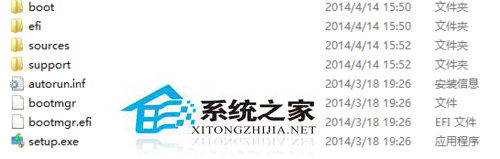
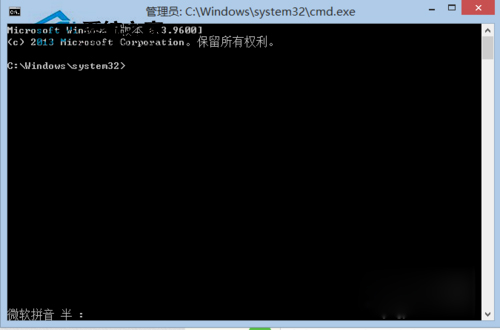
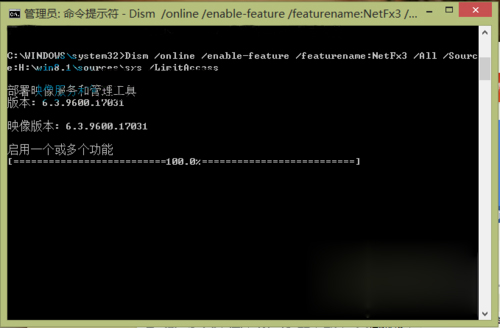
關鍵點: /LimitAccess 參數禁止連線 Windows Update 下載,強制使用本機 sources\sxs 目錄下的載體檔案,完美解決 0x800F0906 錯誤。
Windows 8 KB2770917 更新安裝失敗(卡 15% 回滾)解決方案:乾淨啟動停用第三方服務後安裝
Win8 寬頻連線錯誤 769:網卡停用或失效,啟用網卡即可解決
Win8 主題安裝位置在哪?系統主題在 C:\Windows\Resources,自訂主題在 %LocalAppData%\Microsoft\Windows\Themes
Win8 藍屏提示「電腦遇到問題需重新啟動」?修復網路代理、檢查硬碟模式與驅動認證
Windows 8.1 快速切換使用者帳號教學(免登出/重開機)
Win 8.1 開始選單神器 8StartButton 體驗:六色花快捷選單、磚式選單、半透明特效、免費/付費版差異全解析