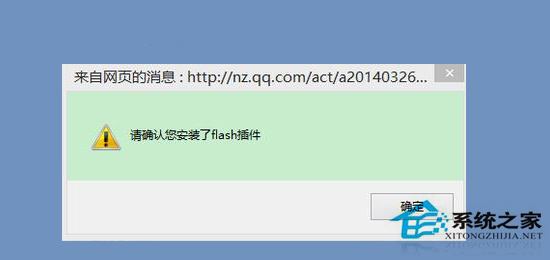
Windows 8.1 將 Adobe Flash Player 整合為 IE/Edge 的系統元件,透過 Windows Update 更新。若 Flash 失效 (無法播放影片、只聽聲音無畫面、提示需安裝 Flash),通常是系統元件檔案損壞、版本不符或註冊失效。本文提供從檔案覆蓋到命令列重新註冊的完整修復流程。
| 系統架構 | 系統目錄 (System32) | WoW64 目錄 (32-bit on 64-bit) |
|---|---|---|
| 32 位元 Win8.1 | C:\Windows\System32\Macromed\Flash\ | 不存在 |
| 64 位元 Win8.1 | C:\Windows\System32\Macromed\Flash\ (64-bit 元件) | C:\Windows\SysWOW64\Macromed\Flash\ (32-bit 元件,IE 32-bit 進程使用) |
關鍵檔案: Flash.ocx、FlashUtil_ActiveX.dll、mms.cfg 等完整目錄內容。
takeown /f "C:\Windows\System32\Macromed\Flash" /r /d y
icacls "C:\Windows\System32\Macromed\Flash" /grant administrators:F /tFlash 目錄內容覆蓋至上述對應路徑 (64 位元系統需同時覆蓋 System32 與 SysWOW64 兩處)。64 位元系統 (需註冊 64-bit 與 32-bit 兩次):
:: 註冊 64-bit 元件 (System32)
cd /d C:\Windows\System32\Macromed\Flash
regsvr32 Flash.ocx

:: 註冊 32-bit 元件 (SysWOW64)
cd /d C:\Windows\SysWOW64\Macromed\Flash
regsvr32 Flash.ocx
32 位元系統:
cd /d C:\Windows\System32\Macromed\Flash
regsvr32 Flash.ocx
成功會彈出視窗提示:「DllRegisterServer 在 Flash.ocx 成功」。
早期 Win8.1 更新 KB2938527 曾導致 Flash 相容性問題。若上述步驟無效:
KB2938527 → 右鍵「解除安裝」。sfc /scannow + DISM /Online /Cleanup-Image /RestoreHealth。Win8.1 內建 Flash 修復核心在於:「覆蓋完整目錄檔案 → 雙重註冊 Flash.ocx (64位元系統) → 清除快取重啟」。若因更新衝突 (KB2938527) 導致,移除該更新並重新透過 Windows Update 取得最新版本即可解決。