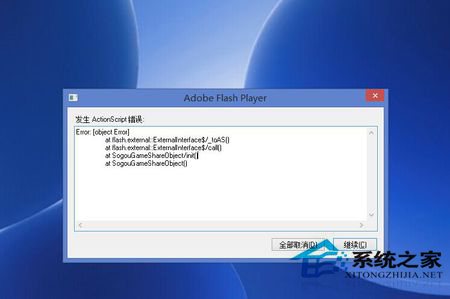
Windows 8.1 內建 Adobe Flash Player (IE/Edge 元件) 因版本過舊或損壞,導致瀏覽網頁時頻繁彈出「ActionScript 錯誤」視窗。透過 Windows Update 安裝最新 Flash 修補程式即可解決,無需手動下載安裝。
KB2938527
注意:Win8.1 內建 Flash Player 為系統元件,不可獨立下載安裝 Adobe 官網版本 (會衝突),務必透過 Windows Update 更新。
Win8 一鍵恢復所有隱藏資料夾?資料夾選項取消隱藏系統檔案
Windows 8 存儲空間完整設置教學:建立儲存池與管理虛擬磁碟
Windows 8 VPN 連線錯誤 942 解決:啟用 CHAP/MS-CHAP v2 驗證協定
Win8.1 如何設定喚醒密碼?電腦設定→帳號→登入選項→密碼原則
在 Win8.1 找回經典「開始選單」:免費工具 Classic Shell 4.02 完整設定圖文
Windows 8 開機異常自動進入 WinRE 恢復環境,Metro 風格修復介面
Windows 8 無聲音、解析度異常完整排查:裝置管理員自動更新驅動、避免第三方驅動工具、新舊硬體差異
Win8 忘記開機密碼解決法:Shift+重啟進入復原環境 → 疑難排解 → 重設電腦還原出廠狀態