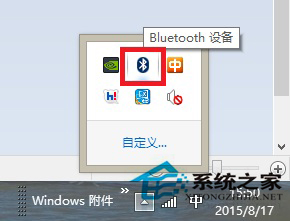
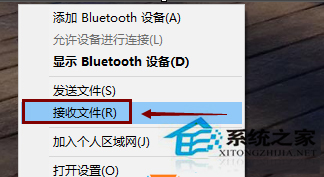
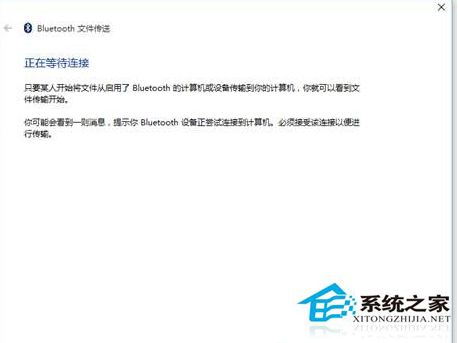
Windows 8.1 藍牙雖可正常配對裝置,但若未啟用「接收檔案」服務,將無法進行檔案傳輸。以下為啟用步驟。
補充:若要發送檔案,請在檔案總管右鍵檔案 →「傳送給」→「Bluetooth 裝置」選擇目標裝置發送。
Win8 螢幕鍵盤沒有詞彙聯想功能?切換手寫模式開啟聯想
Windows 8 應用商店安裝失敗 0x80073CF9 解決方案
Win8 如何快速關閉桌面超級按鈕 (Charms 列)?任務列導航取消「指向右上角顯示超級按鈕」
Win8.1 玩《逆戰》提示「遊戲環境異常」?設定 Win7 相容性或卸載 KB3000483 修復
Win8 提升網速小技巧:關閉應用程式商店自動更新,釋放頻寬給真正需要的工作
Windows 8 操作技巧 50 連發:鎖定畫面、熱鍵、關機、搜尋、虛擬機、任務管理器、ISO 掛載等完整攻略
Windows 8 + VS 開發教學:SemanticZoom 縮放檢視實作
Win8 右鍵「這台電腦」管理顯示找不到文件的完整解決方案