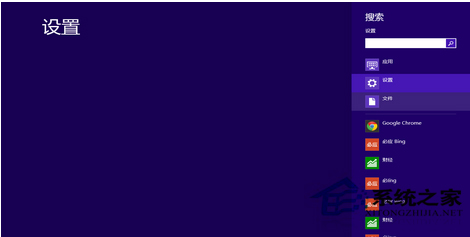
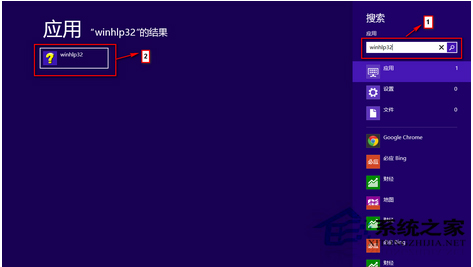
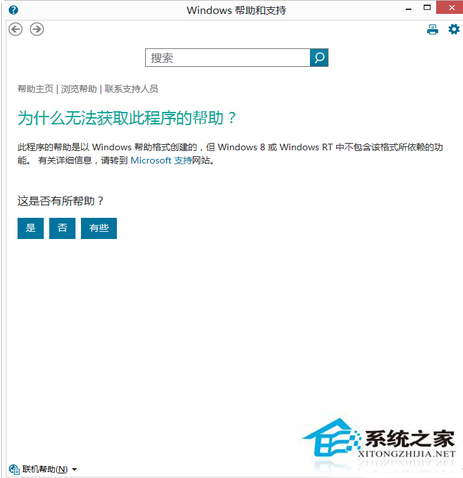
F1 失效時,可透過搜尋找到說明執行檔 winhlp32.exe 手動開啟。
winhlp32.exe
winhlp32
若搜尋不到,執行 sfc /scannow 修復系統檔案,或控制台 →「程式和功能」→「開啟或關閉 Windows 功能」確認「Windows 說明」已勾選。
sfc /scannow
Win8 啟用 Hyper-V 虛擬化平台完整教學
Windows 8 磁碟分區超過 4 個主分區限制?擴展分區技巧突破上限
Windows 8 乾淨開機:排除第三方啟動項診斷問題
加快切換速度:關閉 Win8 開始畫面動畫特效
Win8.1 字體模糊不清?調整 DPI 縮放 + 針對個別程式停用高 DPI 縮放
Win8.1 開機備份/歷史記錄/檔案副本被誤刪,OneDrive 與應用商店打不開?修復恢復分區完整指令流程
Windows 8.1 開啟與管理列印服務完整圖文教學
Win8.1 右鍵選單延遲/卡死?更新顯示卡驅動程式立即解決