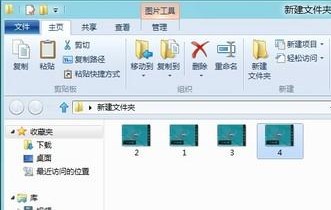
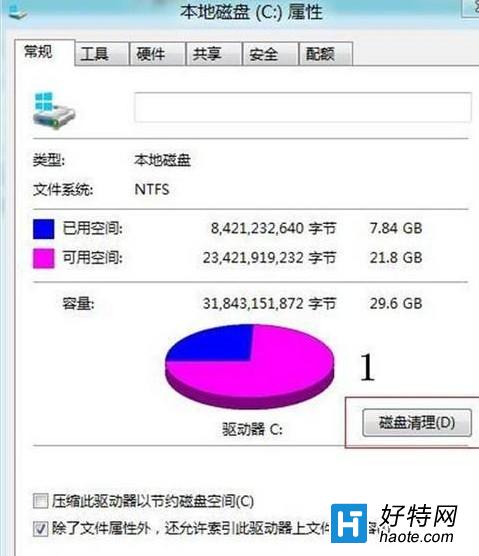
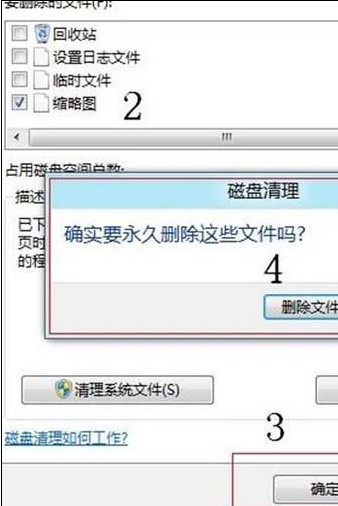
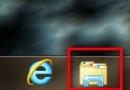
Win8 资源管理器图片不显示缩略图,多因缩略图缓存数据库损坏。两种方式均可强制重建缓存,恢复预览图。
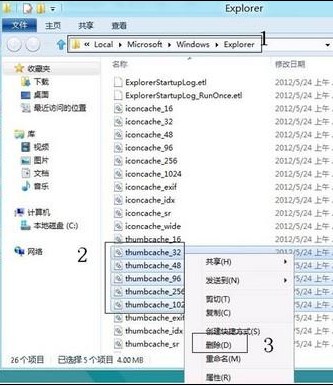
%USERPROFILE%\AppData\Local\Microsoft\Windows\Explorer
thumbcache_*.db
thumbcache_32.db
thumbcache_96.db
thumbcache_256.db
thumbcache_1024.db
删除后重新打开图片文件夹,系统自动重新生成缩略图缓存,预览图恢复正常。
Windows 8 安裝顯示卡驅動後黑屏怎麼辦?關閉快速啟動解決法
Win8 實現快速關機 群組原則啟用自動終止阻礙應用程式
Windows Server 2008 域控制器備份與還原全攻略:從 NTBackup 到 Windows Server Backup
台電 X98 平板刷機 Windows 8 系統教學 BIOS 更新與 U 盤安裝
Win8.1 啟用「免打擾模式」(安靜時段):封鎖 App 通知專注工作
Win8.1 Update 英文版怎麼變中文?線上下載語言包完整教學
Win8.1 IE11 無法開啟區域網路網站?加入區域內部網站清單解決
Win8.1 徹底停用家庭群組服務:services.msc 設定教學