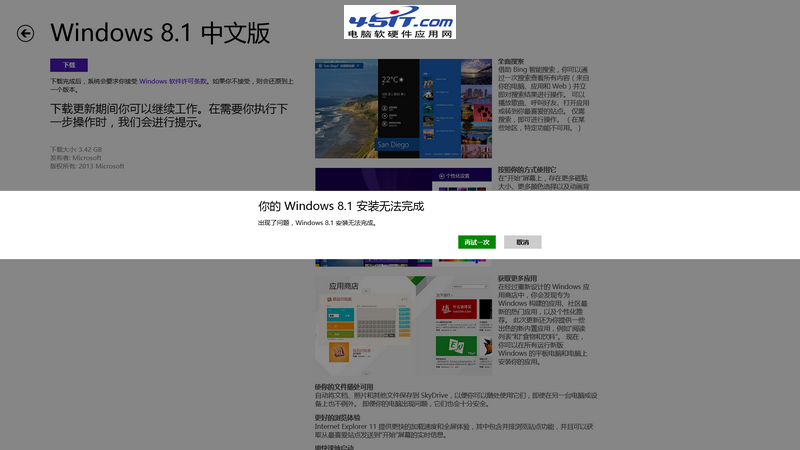
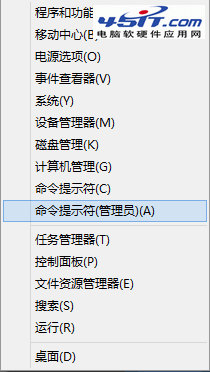
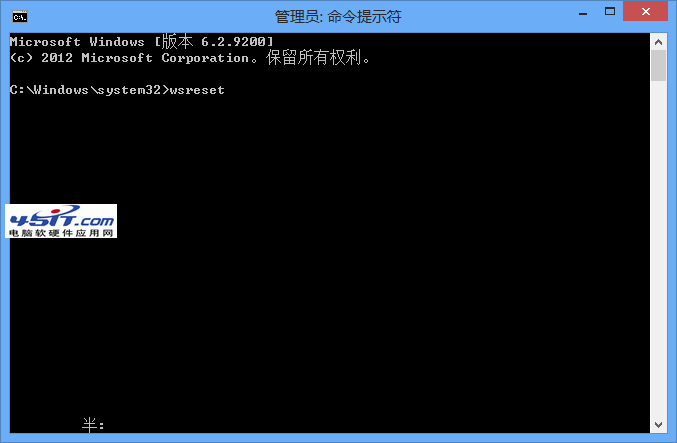
透過應用商店升級 Windows 8.1 時,若出現「您的 Windows 8.1 安裝無法完成」且無錯誤碼,點擊「再試一次」無效,通常是應用商店快取損毀或下載檔案不完整導致。只需執行 wsreset 重設快取即可解決。
wsreset
wsreset.exe
services.msc
Windows 8 應用操作全攻略:關閉、切換、返回開始畫面、觸控右鍵模擬
英文版 Windows 8 中文顯示亂碼解決方案
Win8家長控制功能詳解:讓孩子健康上網更安心
Windows Phone 8 版 Office 正式發布:五大核心功能深度解析
Windows 8 關機方法大全 (一):Charms 列、Alt+F4、Win+I
杜絕意外關機:移除 Windows 登入畫面電源按鈕的完整教學
Windows 8 關閉 UAC (使用者帳戶控制) 教學:拒絕彈出「允許變更」提示
Windows 8 查看公有 IP 與私有 IP 位址完整教學