問題:英文系統執行中文軟體出現亂碼
身處國外或因軟體需求使用英文版 Windows,中文軟體常出現亂碼。只要簡單設定即可解決,方法與 Windows 7 相同。
解決步驟
- 開啟控制台(超級按鈕→搜尋「Control Panel」或直接點擊)。
- 選「Clock, Language and Region」→「Region」。
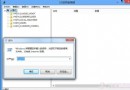
- 切換到「Administrative」索引標籤→點「Change system locale...」。
- 下拉選單選「Chinese (Simplified, PRC)」→確定。
- 系統提示重新開機,存檔後選「Restart now」。
- 重開機後中文軟體即可正常顯示。
進階:同步修改「格式」
若仍有程式亂碼,需同步將「Formats」改為中文。副作用:時間顯示格式變中文樣式(國外用戶需注意夏/冬令時間)。
瀏覽器網頁亂碼處理
以 Firefox 為例:將文字編碼選為「GBK」通常可解決中文網頁亂碼,無效則嘗試其他編碼;外文網頁選相應編碼模式。