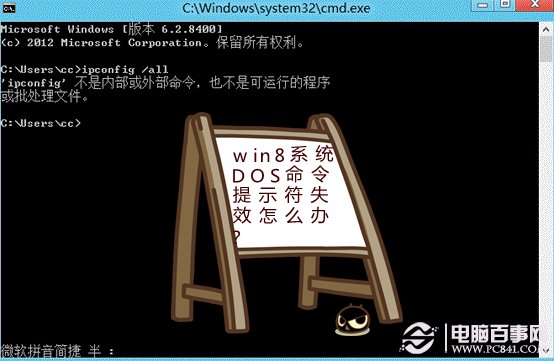
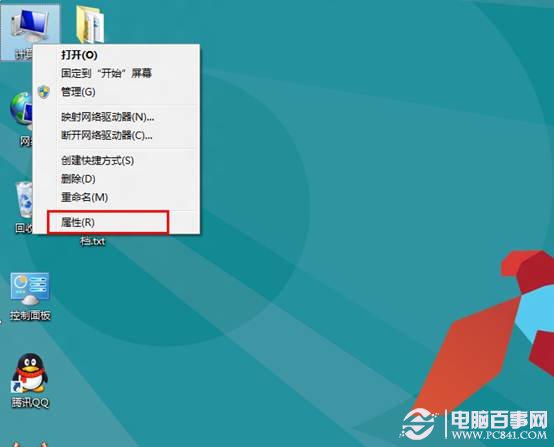
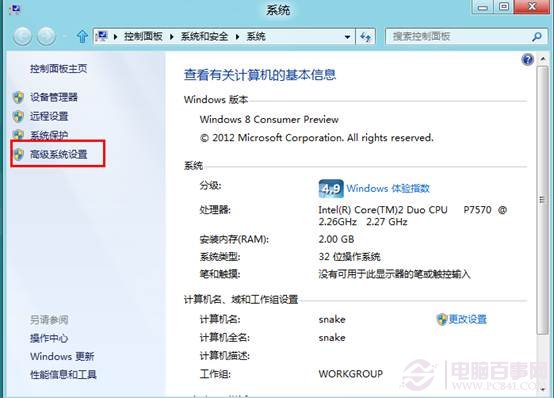
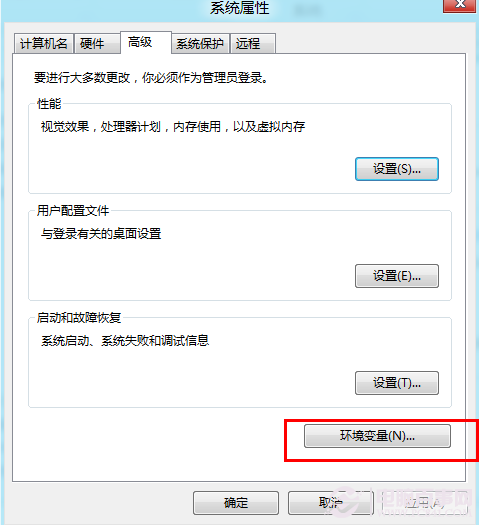
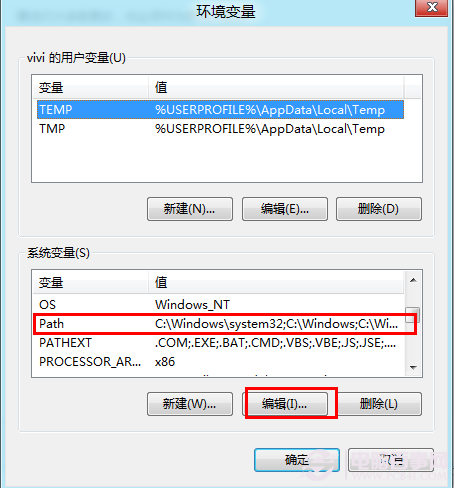
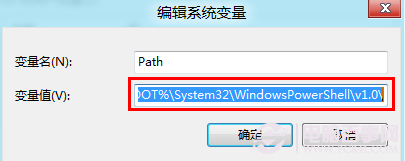
若命令提示字元輸入任何指令(如 ping、ipconfig)皆提示「不是內部或外部指令」,通常是 Path 環境變數遺失系統路徑。以下修復步驟。
Path
%SystemRoot%\System32;%SystemRoot%\System32\WindowsPowerShell\v1.0\
原理: 系統指令執行檔位於 C:\Windows\System32 與 PowerShell 目錄,Path 遺失這兩個路徑會導致所有系統指令找不到執行檔。
C:\Windows\System32
Windows 8 網路與共用中心完整指南:開啟方式、介面簡化、進階共用設定、IP/DNS/MAC 手動設定、網路協定安裝
Windows 8 開機加速指南:msconfig 精簡啟動、CPU 核心優化與垃圾清理
Windows 8 安裝全程圖解 (5/8):安裝後設定 - 方案尋找、資訊分享、使用者名稱、登入畫面
Windows 8 使用技巧大全:50 招實用操作秘籍(三)
Windows 8 鎖定畫面設定完整教學:個性化您的登入介面
喚醒 Win8 隱藏的遊戲總管:建立捷徑一鍵啟動
Windows 8 行事曆技巧:訂閱網路行事曆於 Metro 磚塊顯示即時天氣
Windows 7/8.1 緊急重新啟動技巧:Ctrl+Alt+Del + 電源鍵強制重開機不等待