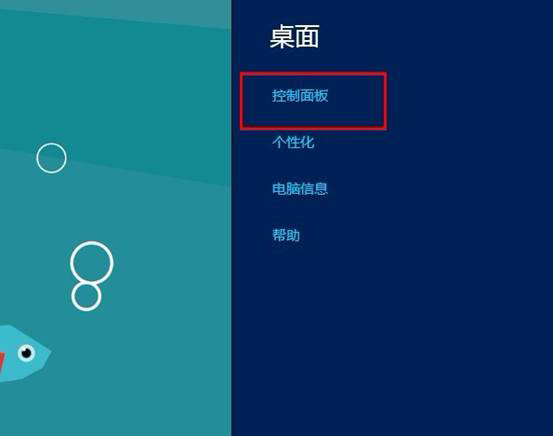
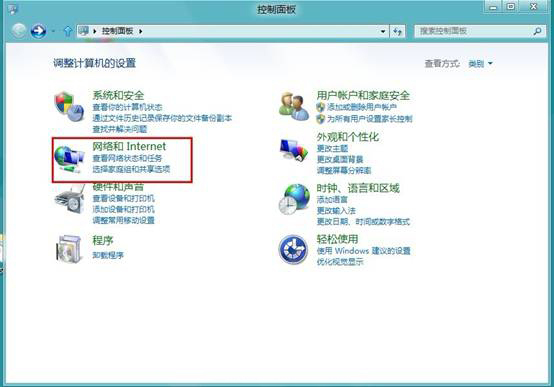
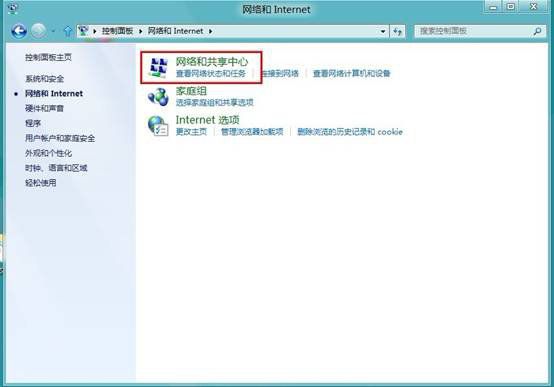
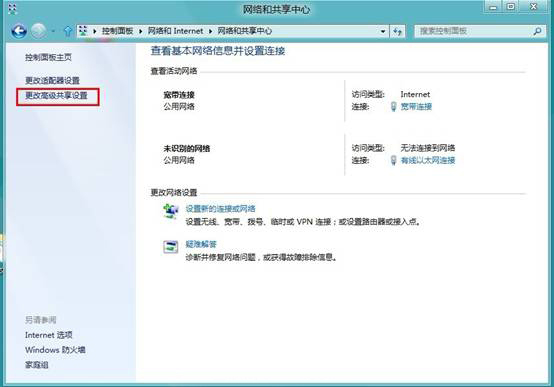
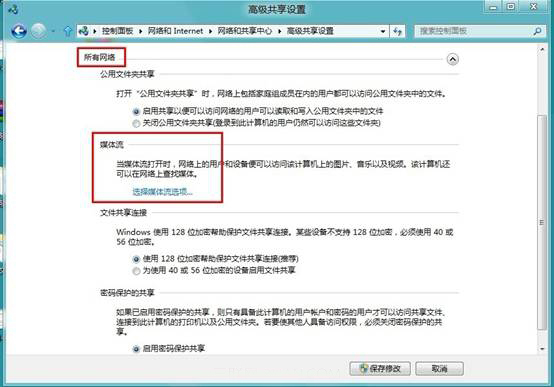
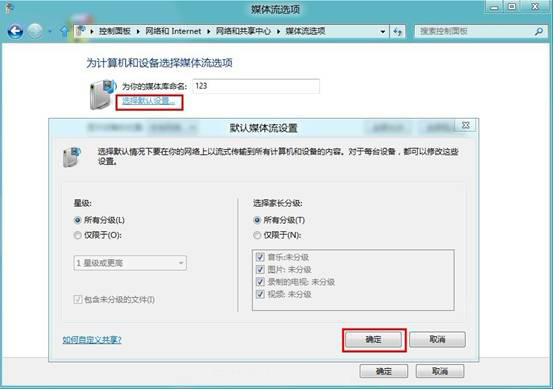
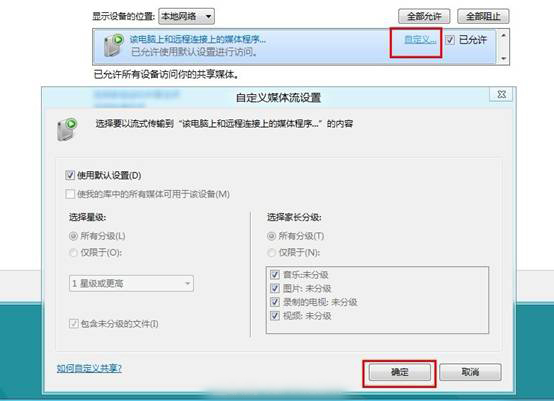
Win 8 設定媒體串流(DLNA)讓裝置間共享影音內容:
IE10 網頁影片沒聲音?五步驟修復播放無聲問題
Windows 8 / 8.1 開始畫面磚大小調整教學
覺得開始畫面電源鍵礙眼?Win8.1 Update 登錄檔隱藏電源按鈕嘗試(實測 RTM 分支未生效)
Windows 8 防盜技術解析:Intel AT 配合 SMS 遠程鎖定/解鎖裝置
Windows 8 同步功能:讓你的設定隨身攜帶,跨裝置無縫體驗
Windows 8 檔案歷程記錄:內建備份與時光機功能完整教學
Win8查看Metro應用大小與卸載完整指南
打造 Windows 8 雙螢幕全景主題:橫跨雙螢幕的震撼視覺