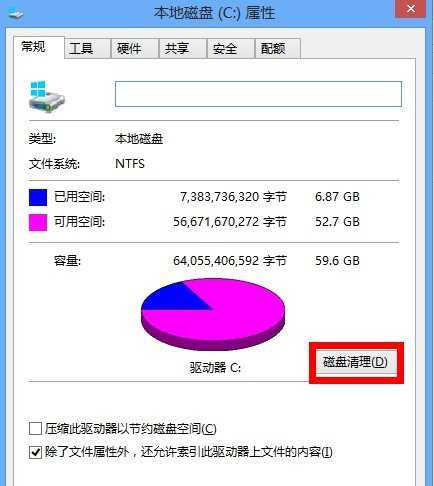
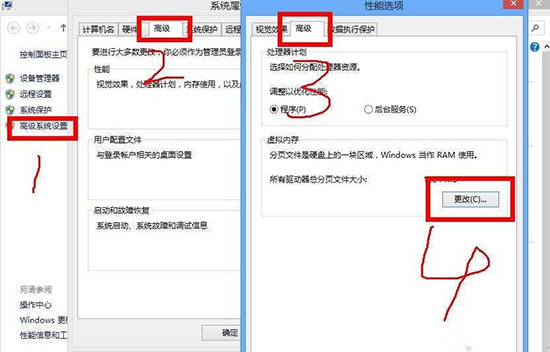
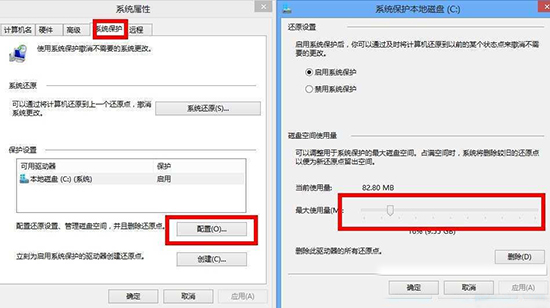
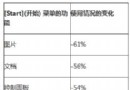
Win 8.1 C 槽空間遞減,建議採用系統原生工具清理(避免第三方優化軟體誤刪系統檔):
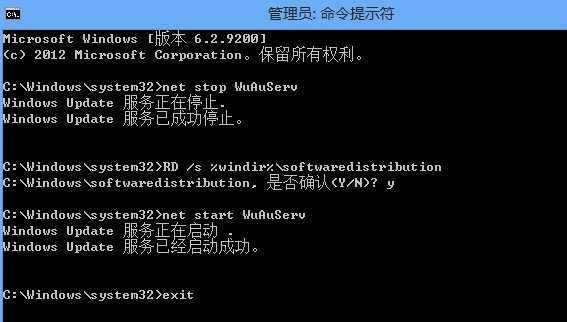
net stop WuAuServ
RD /s %windir%\softwaredistribution
net start WuAuServ
exit
補充:關閉休眠(powercfg -h off)亦可釋放等同記憶體大小的空間。建議軟體安裝路徑指向非 C 槽。
powercfg -h off
Windows 8 系統還原點在哪?透過控制台「恢復」功能還原系統狀態
Windows 8 隱藏功能大揭秘:你忽略的實用細節(上)
Windows 8 藍畫面終於有中文版了:死機錯誤資訊一眼看懂
圖文詳解 Windows 8 檔案歷程記錄:資料備份新範式
Windows 8 變更使用者帳戶類型:標準用戶與系統管理員切換
Windows 8 升級 Windows 8.1 完整圖文教學:從市集下載到首次設定
Windows 8 快速上手 15 大實用技巧:關機、關閉應用程式、多工、搜尋、Charms 列、工作列、輸入法、IE 模式切換、分組、Ribbon 介面
Windows 版本代號完全解析:Alpha/Beta/RC/RTM/RTW/GA 在 Win8 時代的含義