Windows XP Windows 7 Windows 2003 Windows Vista Windows 綜合教學 Linux 系統教學
Windows 10 Windows 8 Windows 2008 Windows NT Windows Server 電腦軟體教學

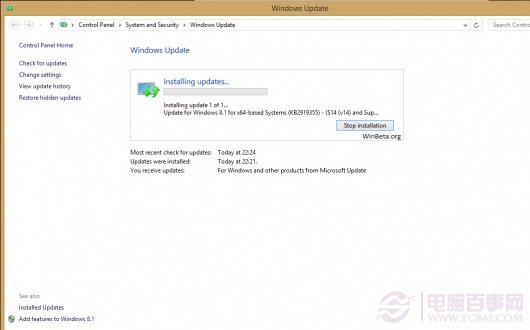
修改登錄搶先升級 Win8.1 Update 1 (KB2919355) 方法與離線安裝包下載順序

編輯:Win8 系統基礎知識

微軟尚未正式推送 Win8.1 Update 1 (春季更新),但高手發現修改登錄即可讓 Windows Update 偵測並下載更新。另提供離線安裝包 (MSU) 手動安裝順序。

登錄修改法 (漏洞升級,微軟可能隨時修補)

  1. 開啟登錄編輯器 (Win+R → regedit)。
  2. 展開至 HKEY_LOCAL_MACHINE\SOFTWARE\Microsoft\Windows。
  3. 右鍵新增機碼,名稱設為 SHWindowsPoolS14 (值留空)。
    新增登錄機碼
  4. 重新開機 → 設定 → 更新與復原 → Windows Update → 檢查更新。
  5. 若成功會出現 Update for Windows 8.1 for x64-based Systems (KB2919442) – (S14 Prerequisite v01.0008) 等更新。
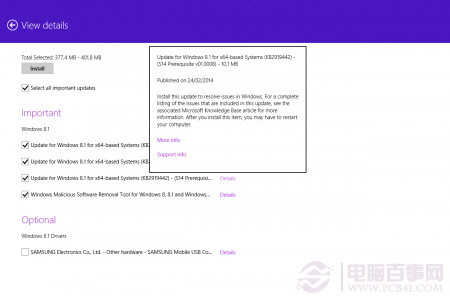
    Windows Update 偵測到更新

離線安裝包 (MSU) 手動安裝順序 (按序執行)

  1. KB2919442 (32-bit / 64-bit / ARM)
  2. KB2939087 (32-bit / 64-bit / ARM)
  3. KB2919355 (32-bit / 64-bit / ARM) 核心更新包
  4. KB2932046 (32-bit / 64-bit / ARM)
  5. KB2938439 (32-bit / 64-bit / ARM)
  6. KB2937592 (32-bit / 64-bit / ARM)

下載對應架構的 .msu 檔,雙擊安裝,每裝一個重開機再裝下一個。此法適合離線環境或想完全掌控安裝順序的用戶。

提醒:登錄修改屬漏洞利用,微軟可能隨時封鎖;離線包請從可信來源 (如微軟更新型錄) 下載。正式版推送後建議改用 Windows Update 正規管道更新。

Copyright © Windows教程網 All Rights Reserved