許多用戶用 CMD 指令移除捷徑小箭頭後,導致 Win8 開始按鈕右鍵選單(Win+X 選單)無法開啟。正確做法是用 .reg 檔修改註冊表隱藏小箭頭,再用 .bat 批次檔重建 Shell Icons 快取,兩全其美。
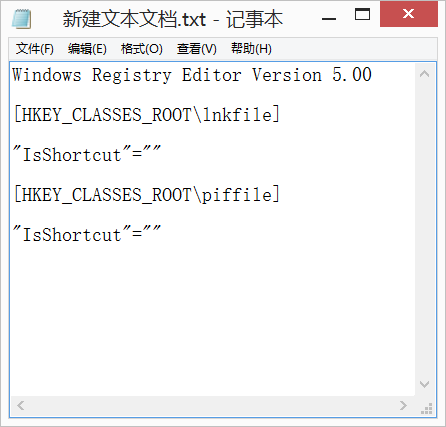
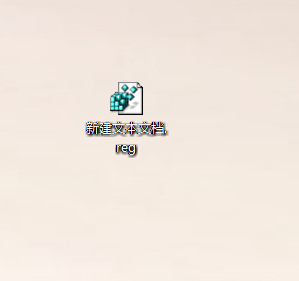
記事本貼上以下內容,存為 hide_arrow.reg 並執行:
Windows Registry Editor Version 5.00

[HKEY_CLASSES_ROOT\lnkfile]
"IsShortcut"=""

[HKEY_CLASSES_ROOT\piffile]
"IsShortcut"=""
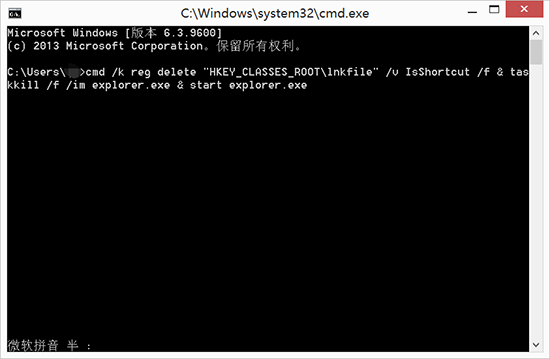
登出或重開機,小箭頭消失,但開始按鈕右鍵選單會失效。
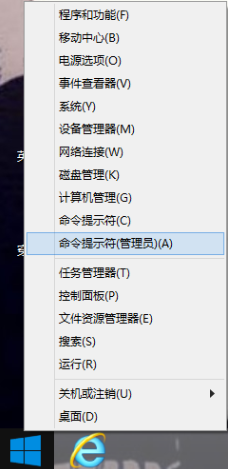
記事本貼上以下內容,存為 fix_menu.bat,**以系統管理員身分執行**:
reg add "HKEY_LOCAL_MACHINE\SOFTWARE\Microsoft\Windows\CurrentVersion\Explorer\Shell Icons" /v 29 /d "%systemroot%\system32\imageres.dll,197" /t reg_sz /f
taskkill /f /im explorer.exe
attrib -s -r -h "%userprofile%\AppData\Local\iconcache.db"
del "%userprofile%\AppData\Local\iconcache.db" /f /q
start explorer
pause
執行後重開機,開始按鈕右鍵選單恢復正常,捷徑仍無小箭頭。原理是用透明圖示 (imageres.dll,197) 取代預設箭頭,不刪除 IsShortcut 鍵值,避免破壞 Win+X 選單相依機制。