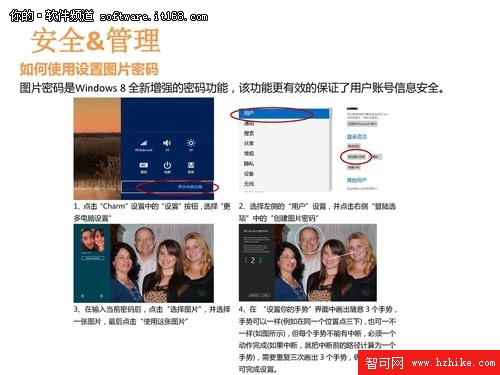
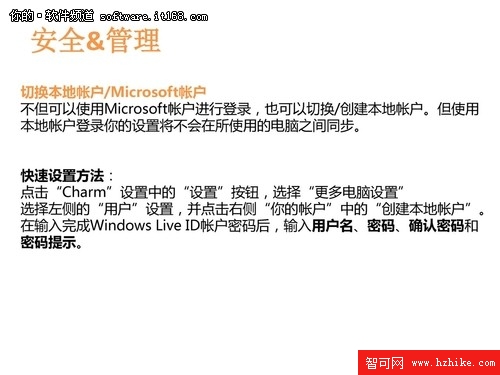
Windows 8 Consumer Preview 內建完整的安全與管理中樞,透過 Metro 版「PC 設定」與傳統控制台雙軌並行。本節以截圖演示核心安全功能入口與配置介面。


關鍵功能說明
- 隱私權設定:控制應用存取位置、網路攝影機、麥克風、通訊錄、行事曆、訊息等權限。
- Windows Defender:整合 MSE 引擎,提供即時防護、雲端保護、定時掃描、離線掃描,介面 Metro 化。
- Windows Update:支援自動下載/安裝、維護時段、驅動更新選擇、Microsoft 產品更新。
- 防火牆進階:入站/出站規則、連線安全規則、監控、針對網域/私人/公用三種設定檔。
- BitLocker:系統磁碟/固定資料磁碟/可移動磁碟加密,支援 TPM/密碼/智慧卡多重保護。
建議:正式使用前完成隱私權審查、開啟 Defender 即時防護、設定更新維護窗口、評估 BitLocker 加密需求。