Windows XP Windows 7 Windows 2003 Windows Vista Windows 綜合教學 Linux 系統教學
Windows 10 Windows 8 Windows 2008 Windows NT Windows Server 電腦軟體教學

Windows 8 M2 Build 7955 隱藏功能解鎖:RedPill 工具一次開啟

編輯:Win8 系統基礎知識

Build 7955 新功能已現

Windows 8 M2 Build 7955 洩露,Ribbon 介面、新工作管理器、WebCam、PDF 閱讀器、Immersive Browser、全新帳戶登入(新登入壁紙、圖形密碼)等功能已現蹤跡。

RedPill 工具解鎖更多隱藏功能

MDL 論壇釋出 RedPill 工具,可開啟更多隱藏功能:

  • Metro Login: 採用 Windows Phone 7 Metro 設計語言的登入介面,未來將延伸至 Office 15 等產品。
  • New Task Manager: 全新工作管理器,提供更全面資訊。
  • Immersive Browser: 採用 Metro UI 的觸控優化瀏覽器,引入 WP7 色塊風格,具明確前進、後退、重新整理、收藏按鈕。
  • Pattern Login: 類似智慧型手機的圖形解鎖登入方式。

RedPill 使用方法

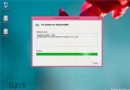
  1. 執行 InstallTakeOwnership.reg,右鍵選單新增 Take Ownership 選項,取得 System32 目錄修改權限。
  2. 備份 slc.dll 與 systemcpl.dll,將 RedPill 資料夾下三個檔案複製至 System32 目錄即可。


Copyright © Windows教程網 All Rights Reserved