Windows XP Windows 7 Windows 2003 Windows Vista Windows 綜合教學 Linux 系統教學
Windows 10 Windows 8 Windows 2008 Windows NT Windows Server 電腦軟體教學

Windows 8 開機直接進入桌面教學:建立 .scf 捷徑並加入啟動項目

編輯:Win8 系統基礎知識

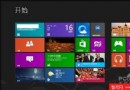
Windows 8 開機預設進入 Metro 開始畫面,習慣傳統桌面的使用者可透過建立特殊捷徑實現開機直進桌面。

建立「自動桌面.scf」捷徑

  1. 開啟記事本,貼入以下內容:
    [Shell]
    Command=2
    IconFile=Explorer.exe,3
    
    [Taskbar]
    Command=ToggleDesktop
  2. 另存為 自動桌面.scf(副檔名必須為 .scf,非 .txt),存放任意位置(如桌面)。
  3. 測試:開啟數個視窗,雙擊此檔案,所有視窗最小化顯示桌面即表示有效。

設定開機自動執行

  1. 按 Win+R 輸入 shell:startup 開啟啟動資料夾。
  2. 將 自動桌面.scf 複製或建立捷徑至該資料夾。
  3. 重新開機驗證,系統將自動執行捷徑並直接顯示桌面。

此法利用 Windows 內建 ToggleDesktop 命令模擬 Win+D 功能,無需第三方軟體,安全可靠。

Copyright © Windows教程網 All Rights Reserved