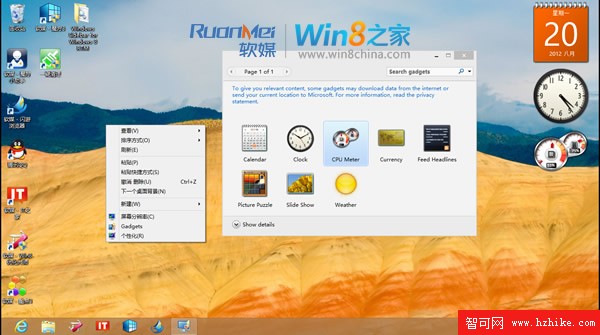
微軟以「安全」為由建議 Vista/Win7 關閉小工具側邊欄,並在 Windows 8 正式移除此功能。仍習慣使用小工具(如 CPU 監測、日曆、天氣)的用戶可透過第三方補丁恢復。
files
install.cmd
C:\Windows\System32
Windows 8 快捷鍵大全:鍵盤、滑鼠、觸控操作完全指南
Windows 8 6 秒開機實測:Haswell 平台 + SSD + 快速啟動極致優化
Windows 8 登入支援 Email 帳號:跨裝置同步設定與資料
圖文教程:強制開啟 Windows 8 RTM 完整透明視窗效果(附副作用說明)
Win8.1 應用程式商店升級失敗「您的 Windows 8.1 安裝無法完成」?執行 wsreset 清除快取即時修復
Windows 8 內建支援 PDF 與 ISO 檔案:免安裝第三方軟體直接開啟
Windows 8.1 桌面顯示「這台電腦」圖示設定教學
Windows 8 開始畫面如何新增捷徑圖示?完整圖文教學