Windows XP Windows 7 Windows 2003 Windows Vista Windows 綜合教學 Linux 系統教學
Windows 10 Windows 8 Windows 2008 Windows NT Windows Server 電腦軟體教學

Win8 無線網路指令管理大全:查看/顯示密碼/刪除/停用自動連線設定檔

編輯:Windows 8 系統介紹

Win8 圖形介面管理無線設定檔功能較弱,命令列 netsh wlan 提供完整控制:列出設定檔、顯示明文密碼、刪除舊設定檔、停用自動連線。

前置:開啟命令提示字元

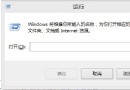
Win+R → cmd → Enter。

核心指令

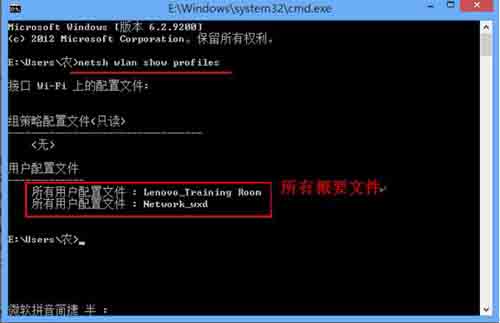
  1. 列出所有無線設定檔:
    netsh wlan show profiles
  2. netsh wlan show profiles

  3. 顯示指定設定檔明文密碼 (含金鑰內容):
    netsh wlan show profile name="ProfileName" key=clear
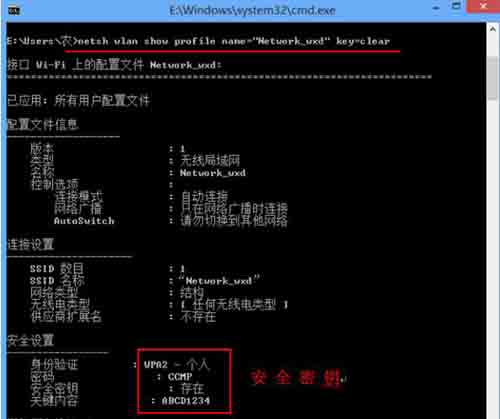
  4. netsh wlan show profile key=clear

  5. 刪除指定設定檔:
    netsh wlan delete profile name="ProfileName"
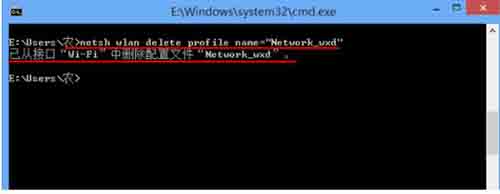
  6. netsh wlan delete profile

  7. 停用自動連線 (改為手動):
    netsh wlan set profileparameter name="ProfileName" connectionmode=manual

將 ProfileName 替換為實際設定檔名稱 (含空格需加引號)。幾條指令掌握無線網路完全控制權。

Copyright © Windows教程網 All Rights Reserved