《魔獸世界》在 Windows 8 執行中斷彈出 BLZPTS00008 錯誤,官方建議五步驟排查:確保 C 盤剩餘 >1GB、結束 Agent.exe/WerFault.exe/Launcher.exe 進程、刪除 Battle.net 快取資料夾、執行磁碟掃描與重組、暫時關閉防火牆/安全軟體。
排查步驟
- 清理系統盤: C 盤可用空間 大於 1GB (建議 >10GB),磁碟清理刪除暫存檔、更新快取。
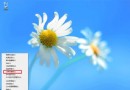
- 結束衝突進程: 工作管理員 → 詳細資料 → 結束 Agent.exe、WerFault.exe、Launcher.exe (Battle.net 相關進程)。
- 刪除 Battle.net 資料夾:
C:\ProgramData\Battle.net、%LOCALAPPDATA%\Battle.net 整個刪除,重新啟動 Launcher 重建快取。
- 磁碟掃描與重組: 管理員 CMD →
chkdsk C: /f /r (重開機執行) → HDD 執行磁碟重組。
- 暫時關閉防火牆/安全軟體: 控制台關閉 Windows 防火牆、退出第三方防毒,測試遊戲連線。
進階建議
- Battle.net 設定 → 遊戲設定 → 維修工具 掃描修復遊戲檔案。
- 網路層面:路由器重啟、改用有線連線、嘗試 VPN/遊戲加速器 (戰網伺服器在海外)。
- 顯卡驅動乾淨安裝最新版,關閉覆蓋層 (GeForce Experience Overlay、Discord Overlay)。