Windows 8 整合先前需第三方軟體(如 Daemon Tools、Alcohol 120%)才能實現的功能:在資源管理器中直接掛載 ISO 與 VHD(虛擬硬碟)檔案。用戶只需選中 ISO 檔,在 Ribbon 介面點擊「掛載」,Windows 8 即時建立虛擬光碟機並載入鏡像;點擊「推出」後虛擬光碟機自動消失。
VHD 檔案同樣支援,且擁有寫入權限,「推出」時會保存所有變更。雖正式版可能仍有用戶偏好第三方工具(如支援 MDF 等格式),但系統內建功能如同燒錄光碟般,往往是最便利的選擇。
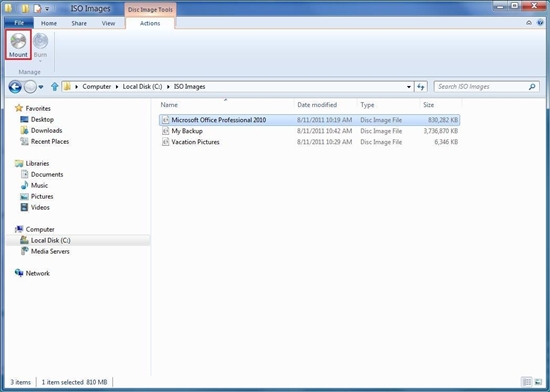
ISO 鏡像檔掛載
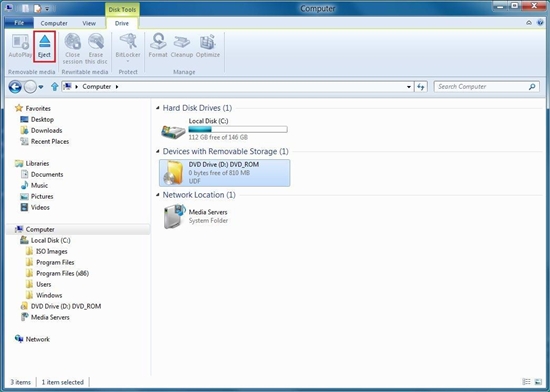
ISO 鏡像檔卸載
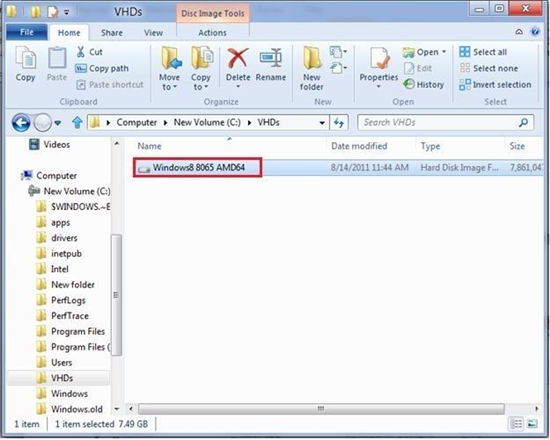
存取虛擬硬碟
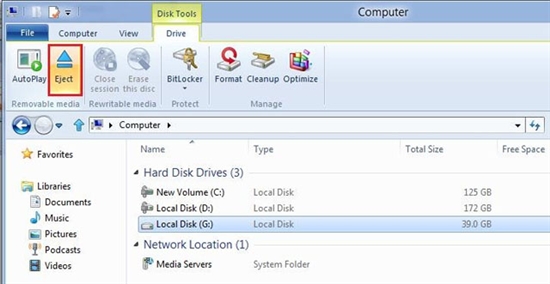
卸載虛擬硬碟