厭倦每次開機必須手動點擊「桌面」磚?可建立自動切換桌面的 .scf 捷徑並放入啟動資料夾:
.scf
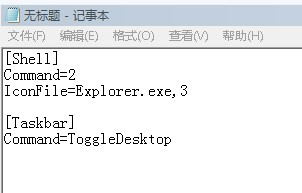
[Shell]
Command=2
IconFile=Explorer.exe,3
[Taskbar]
Command=ToggleDesktop
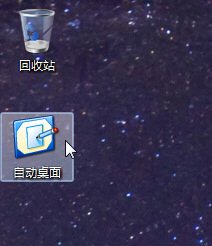
自動桌面.scf
Win+R
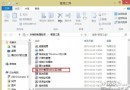
shell:startup
下次開機登入後即自動切換至傳統桌面,免去手動點擊步驟。
Win8 啟用/禁用內置管理員賬戶、取消開機密碼全教程
Win10 新增機械硬碟不被識別?更新 AMD SATA Controller 驅動解決
Win8 刪除工作列常用位置(跳躍清單)保護隱私:工作列屬性一鍵關閉
Skip Metro Suite:一鍵讓 Win8 開機跳過開始畫面直進桌面,並可選擇性關閉熱區與 Charms 列
Win 8 玩 CF 出現「遊戲環境異常請重啟機器」?卸載 KB3000850 更新即可
Windows 8.1 啟用滑動關機:Slidetoshutdown.exe 執行與捷徑建立
Windows 8 命令提示字元 CMD 指令失效「不是內部或外部命令」修復教學:修正 PATH 環境變數
Windows 8 版 Adobe Reader Touch 更新:針對 8.1 優化觸控閱讀體驗