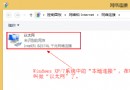
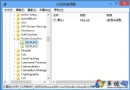
Win8 開發者預覽版下 QQ 常出現假死(介面失去回應),主因為 QQ 與 Win8 相容性問題。解決方法:關閉 QQ 主題換膚中的透明特效即可。文中附 QQ 介面假死截圖與設定關閉透明效果圖示。最新版 QQ 2011 正式版等均有此問題,關閉透明效果後恢復正常。
Windows 8 輕鬆掌握多國語言:新增語言包、切換顯示與輸入語言
Windows 8 最新測試版換裝新 Logo:四扇窗扁平化、傾斜透視呼應 Metro 風格
搶先體驗 Windows 8:8 秒開機震撼,優化技巧讓老電腦也能加速
Win 8.1 新介面不習慣?教你將裝置與 USB 隨身碟分區顯示
Windows 8.1 光碟全新安裝完整圖解教學:從 BIOS 開機序到桌面 19 步驟一次看懂
Win8 護眼色一鍵設定:登錄表修改視窗背景色為綠豆沙綠 (RGB 204,232,207) 或用護眼衛士軟體
Windows 8 將內建 IE10:UI 全面觸控化、內核效能再突破
Windows 8 開啟 Aero Glass 毛玻璃特效:需第三方工具 Aero Glass for Win8