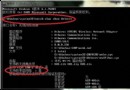
Windows 8 消費者預覽版發布後,大量用戶回報 QQ 登入嚴重卡死。騰訊 QQ 團隊確認:當系統用戶名為中文時,在 Metro 模式下執行 QQ for Windows 8 會觸發系統異常導致卡死。此為 Windows 8 核心層 Bug,騰訊已提交微軟 Bug 追蹤系統,微軟確認原因並承諾在下一版本修復。同時,Windows 應用商店已推送 QQ for Windows 8 更新(1.0.244.0),介面本地化為中文並修復部分 Bug。
問題成因
- 系統用戶名包含中文字符。
- 在 Modern(Metro)環境下啟動 QQ for Windows 8 應用。
- 觸發 Windows 8 內部路徑解析/權限異常,導致應用無回應(卡死)。
官方臨時規避方案
- 建立英文用戶名的本地帳戶或 Microsoft 帳戶登入系統。
- 或在桌面模式使用傳統 QQ 2012 Beta 3 以上版本(完美相容 Win8)。
後續進展
- 微軟已定位 Bug 並納入修復計畫,將在 Windows 8 後續版本(Release Preview/RTM)解決。
- Windows Store 版 QQ 已更新至 1.0.244.0,介面中文化、修復部分已知問題。
早期預覽版相容性問題屬正常現象,用戶可依上述規避方案暫時使用,靜待官方修復版本推出。