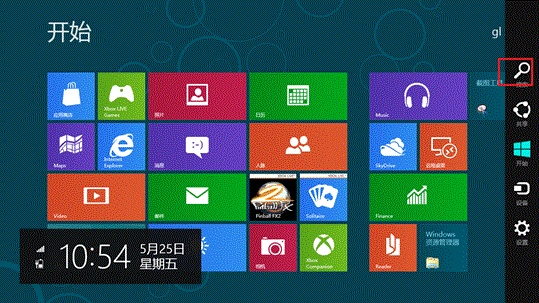
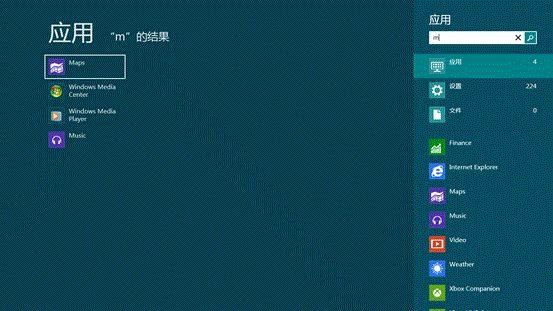
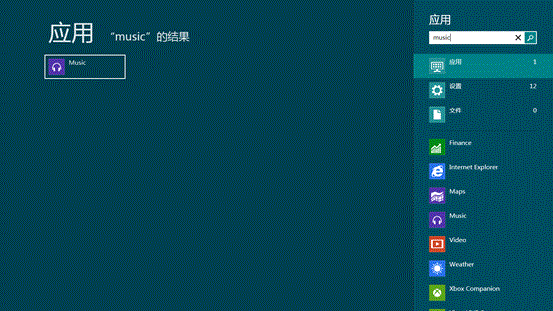
亦可直接在開始屏幕輸入關鍵字自動進入搜尋模式。Win8.1 進一步整合 Bing 聚合搜尋,體驗更強大。
Windows 8 設定喚醒密碼保護兩大方案:電腦設定與控制台電源選項雙管齊下
Windows 8 iSCSI 發起程式設定教學:連線網路儲存裝置的完整步驟
Windows 8 Enterprise M3 Build 7959 x64 版本洩露,容量 2.87 GB
Win8 系統修復全攻略:保留檔案重裝與無法開機救援
Windows 8 將相容下一代 UEFI BIOS 啟動速度大幅提升 支援 ARM/x86 雙架構
Win8 刪除工作列常用位置(跳躍清單)保護隱私:工作列屬性一鍵關閉
Win8 桌面右鍵選單新增「電源控制」選單:登錄檔一鍵部署教學
Win 8 電源選項加入「休眠」:筆電省電利器啟用教學