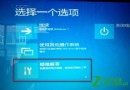
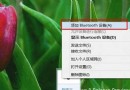
Windows 8.1 內建 SlideToShutDown.exe,啟用後向下拖曳鎖定畫面(或滑鼠拖曳)即可關機,類似 Windows Phone 體驗。預設未啟用,兩種方式快速叫用:
SlideToShutDown.exe
slidetoshutdown.exe
C:\Windows\System32
適合平板/觸控裝置,也能為傳統桌面增添趣味關機方式。
Windows 8.1 完整啟用指南:網路啟用與電話啟用雙軌詳解
Windows 8 帳戶快速切換:無需登出重啟,開始畫面右上角一鍵切換
Windows 8.1 螢幕截圖自動儲存技巧:Win+PrtSc 一鍵完成
Win8.1 將公用網路改為專用網路,獨享專屬連線環境
Win8.1 Update隱藏/顯示開始畫面電源按鈕:登錄一鍵切換.reg檔案
Win8 如何設定預設程式?PC 設定中指定預設應用程式
Windows 8.1 螢幕解析度調整兩種方法:桌面右鍵與電腦設定雙管道操作
Windows 8 鎖定畫面自訂全攻略:背景、應用狀態、詳細通知一手掌握