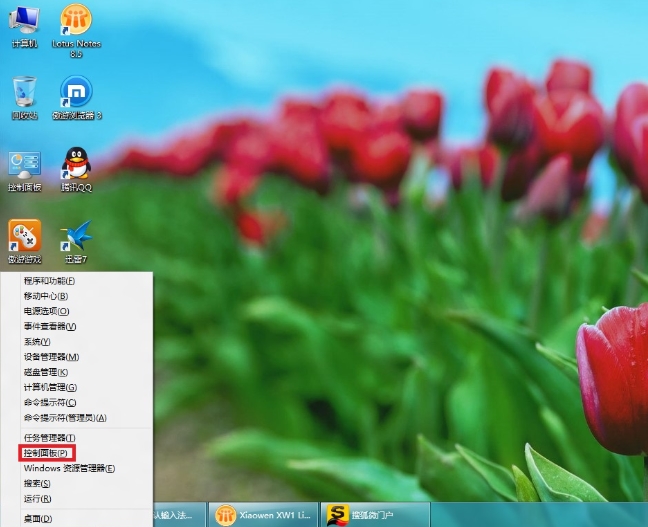
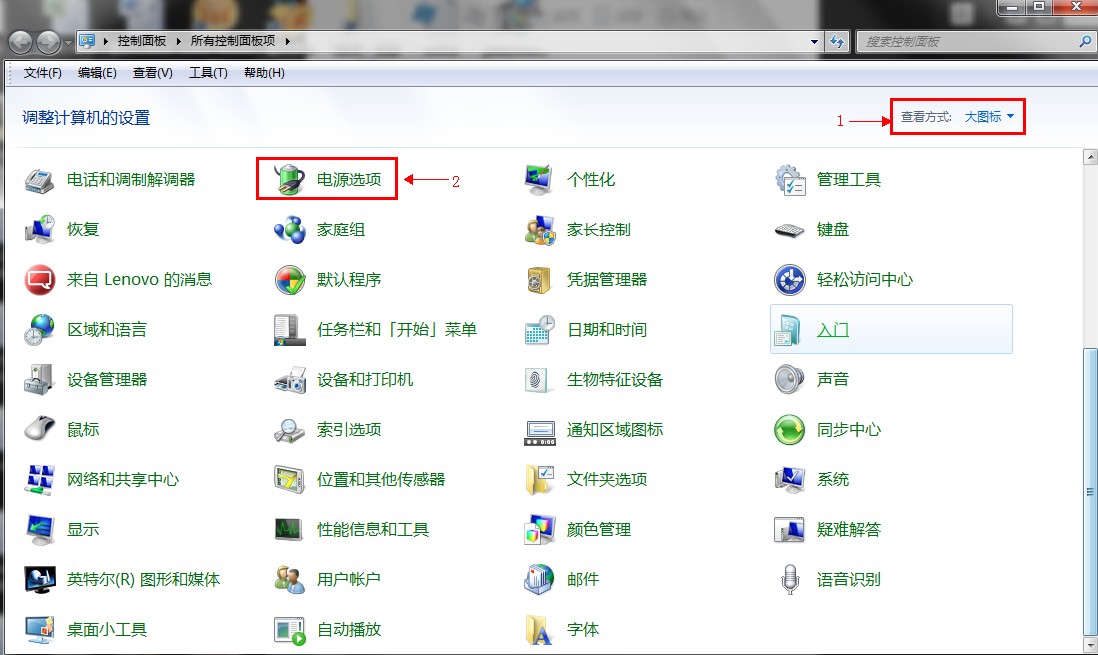
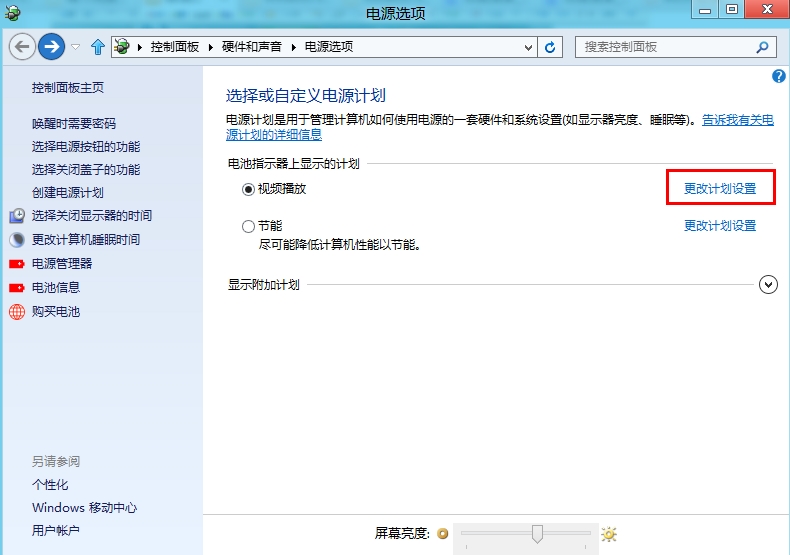
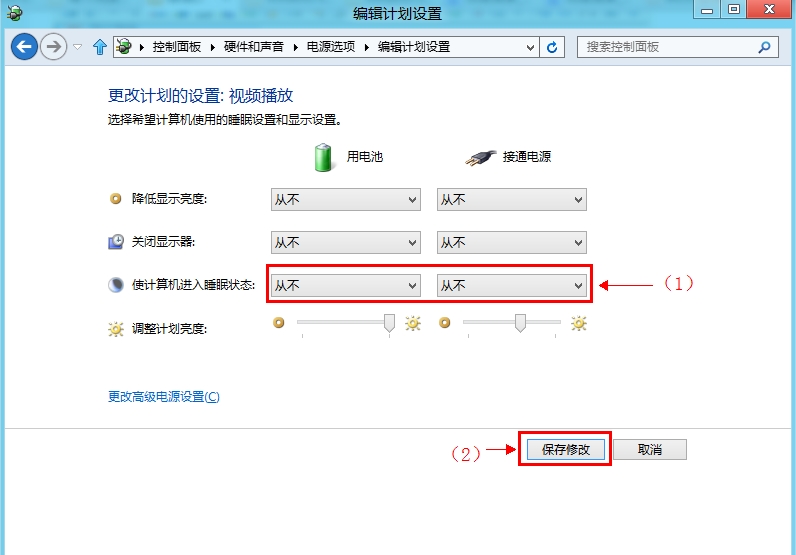
調整螢幕關閉與睡眠等待時間,透過電源選項即可。
Windows 8 安裝與設定 Microsoft Media Center(另一版本圖文)
深度解析:GPT 磁碟下 OEM 復原分區屬性設定與 Diskpart 進階指令
Win8 家庭群組檔案共享圖文教學:沿用 Win7 架構,局域網輕鬆共享文件/印表機/媒體串流
MIIX 2-8 Windows 8 無法呼叫超級按鈕?觸控校準解決教學
為 Win8 開始畫面與桌面加上「一鍵關機」按鈕:建立捷徑、自訂圖示、釘選
Windows 8 輕鬆安裝豐富語言包:控制台「新增語言」一站式下載、顯示語言與輸入法優先序管理
Win8.1系統USB開機安裝盤製作完整教學(UltraISO)
Windows 8 卸載程式三大法:控制台、開始畫面、開始選單工具