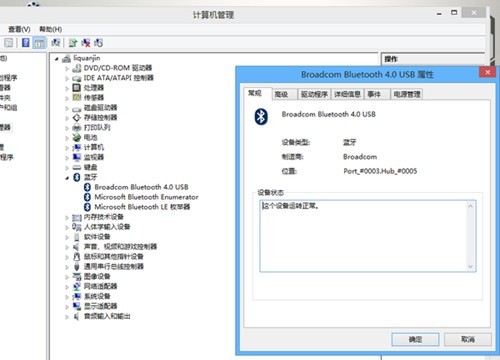
查閱說明書、官網規格或裝置管理員「藍牙」分類確認硬體存在且驅動已裝。
Windows 8.1 無線網路連接受限/無法連線解決方案:啟用 FIPS 相容性
Windows 8 首批下載將包含中文等 5 大語言:簡繁中文、日文、韓文、德文、英文
Windows 8 開機藍屏常見原因與解決對策:QQ 版本、驅動、超頻、記憶體檢測
Windows 8.1 現代應用正確關閉法:拖曳到底停留 2 秒才鬆手
Windows 8.1 移除 SkyDrive/OneDrive 圖示並停用自動同步教學
Windows 8 找回經典開始選單:Start8 工具安裝與移除實測
Win8.1 相容性測試:主流社交軟體與輸入法全數通過,唯 Yahoo! Messenger 不支援
Windows 8.1 Java 程式無法執行?五步驟排查 IE 外掛程式與 Java 控制台設定