使用驅動精靈或前往顯卡廠商官網下載最新 Win8.1 相容驅動安裝。
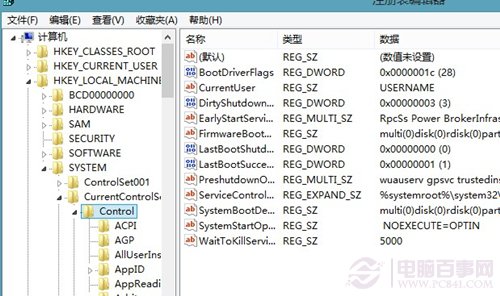
regedit
HKEY_LOCAL_MACHINE\SYSTEM\CurrentControlSet\Control\Session Manager\Power
AwayModeEnabled
Win8 啟動新機制:產品金鑰內嵌 BIOS,重裝免輸入、防盜用、但升級版本與自組裝機面臨挑戰
Win 8 桌面圖示無法拖曳?快速修復方法
Windows 8.1 磁碟重組與最佳化完整操作指南
Windows 8 存取移動硬碟/重裝系統後共用資料夾權限修復:Takeown 不支援的替代方案
Win8.1 驅動程式安裝運行模式改進詳解
Win8 區域網路 Proxy 伺服器設定:IE 介面與系統級生效
Windows 8 Microsoft 帳戶同步功能:一組帳號漫遊設定、應用、密碼
Windows 8 安裝第三方 Modern 應用程式:優化大師一鍵越獄突破 Store 限制(風險自負)