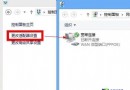
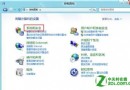
shutdown.exe -s -t 0 → 下一步 → 命名「關機」→ 完成。| 功能 | 指令 | 說明 |
|---|---|---|
| 關機 | shutdown.exe -s -t 0 | -s 關機,-t 0 立即執行 |
| 重新開機 | shutdown.exe -r -t 0 | -r 重開機 |
| 鎖定電腦 | rundll32.exe user32.dll,LockWorkStation | 或直接按 Win+L |
| 休眠 | rundll32.exe powrprof.dll,SetSuspendState | 寫入硬碟斷電 |
| 睡眠 | rundll32.exe powrprof.dll,SetSuspendState 0,1,0 | 保持記憶體供電 |
Win 8 移除傳統開始選單,但透過捷徑與釘選功能可自訂高效操作習慣,建議嘗試適應新介面並善用熱鍵 (Win+X, Win+I, Win+L)。