Windows XP Windows 7 Windows 2003 Windows Vista Windows 綜合教學 Linux 系統教學
Windows 10 Windows 8 Windows 2008 Windows NT Windows Server 電腦軟體教學

修改登錄立即獲取 Win 8.1 Update 1 推送:新增 SHWindowsPoolS14 鍵值

編輯:Windows 8 系統介紹

國外用戶發現修改登錄新增特定鍵值可立即從 Microsoft 取得 Windows 8.1 Update 1 更新,多數用戶實測有效。

操作步驟

  1. 開啟登錄編輯器(Win+R → regedit),定位至:
    HKEY_LOCAL_MACHINE\SOFTWARE\Microsoft\Windows
  2. 新增項目:SHWindowsPoolS14。
  3. 新增鍵值

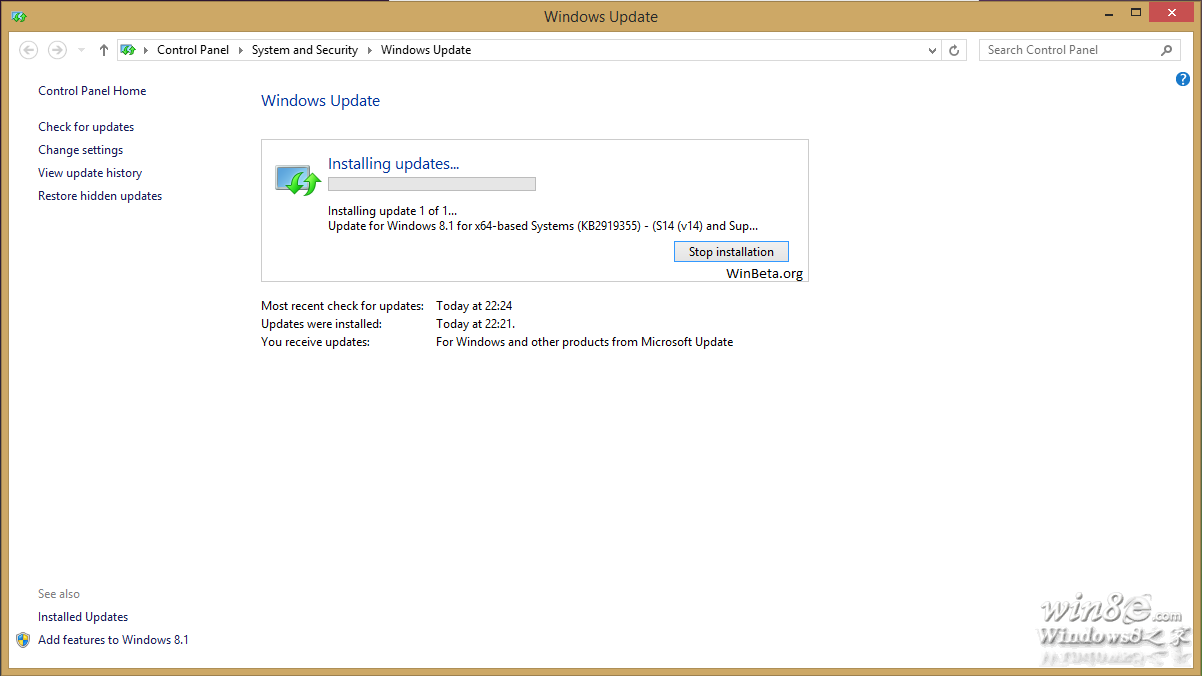
  4. 重開機,開啟 Windows Update → 「檢查更新」。
  5. 應可見:
    Update for Windows 8.1 for x64-based Systems (KB2919442) – (S14 Prerequisite v01.0008)
    安裝即可取得 Update 1。

提醒:修改登錄有風險,建議先備份。一般用戶建議等待官方推送。

Copyright © Windows教程網 All Rights Reserved