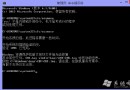
Windows 8 移除傳統開始選單關機鈕,透過建立桌面捷徑可一鍵執行關機、重開機、鎖定、睡眠、休眠等操作。
shutdown.exe -s -t 0 → 「下一步」 → 命名「關機」 → 「完成」。| 動作 | 指令 | 說明 |
|---|---|---|
| 關機 | shutdown.exe -s -t 0 | -s 關機,-t 0 立即 |
| 重開機 | shutdown.exe -r -t 0 | -r 重開機 |
| 鎖定 | rundll32.exe user32.dll,LockWorkStation | 或 Win+L |
| 休眠 | rundll32.exe powrprof.dll,SetSuspendState | |
| 睡眠 | rundll32.exe powrprof.dll,SetSuspendState 0,1,0 |
捷徑右鍵 → 「釘選到開始畫面」或「釘選到工作列」,隨時一鍵執行。