Windows 8.1 with Bing 是微軟針對低價裝置推出的授權模式,非一般消費者可直接下載的「免費版 Windows」。本文整理 ADK 文件揭露的核心細節。
核心定位
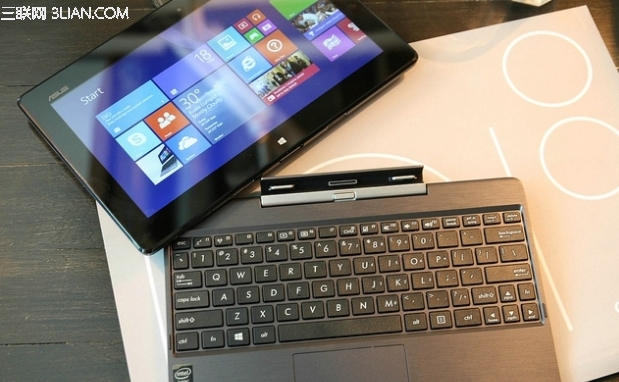
- 目標:售價 250 美元以下的廉價 Windows 裝置 (平板、筆電、一體機)。
- 授權對象:僅供 OEM 廠商預裝,零售通路不販售,使用者無法單獨購買/下載安裝。
- 授權成本:OEM 授權費從 50 美元大幅降至 15 美元 (彭博社報導),推動低價裝置普及。
功能與限制
| 項目 | 說明 |
|---|
| 系統核心功能 | 與標準 Windows 8.1 完全相同 (含 Update 功能)。 |
| 預設搜尋引擎 | 強制鎖定為 Bing (IE 瀏覽器),OEM 無法透過工具修改。 |
| 使用者權限 | 使用者可自行安裝其他瀏覽器 (Chrome/Firefox) 並更改預設搜尋引擎。 |
| 微軟服務整合 | 預設推廣 OneDrive、Bing、Outlook.com 等服務。 |
背景脈絡
- 微軟 Windows Phone 部門副總裁 Joe Belfiore 官方部落格確認:「將促使合作夥伴在極具競爭力價格區間打造擁有較高 Windows 使用者體驗的廉價裝置。」
- The Verge 早前報導:with Bing 為 OEM 授權費減免計畫一環。
- 最早見於 Windows 8.1 Update 1 (Spring 2014 Update) 截圖洩露,Build 2014 正式發布。
給一般使用者的啟示
- 購買低價 Windows 裝置時,預裝可能為 with Bing 版本,IE 預設搜尋為 Bing。
- 若偏好 Google/其他搜尋,可自行安裝 Chrome/Firefox 並設為預設瀏覽器,系統不限制使用者選擇。
- 此策略反映微軟從「軟體授權收費」轉向「服務生態變現」 (搜尋廣告、雲端訂閱、應用商店分成) 的商業模式轉型。