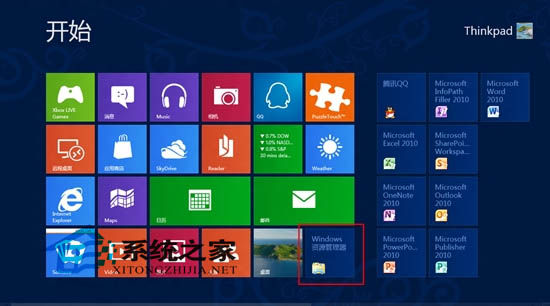
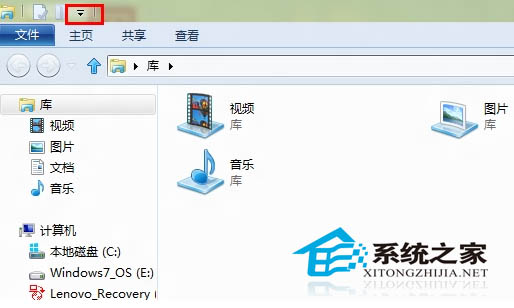
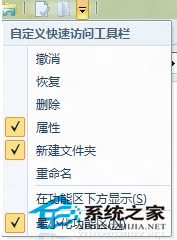
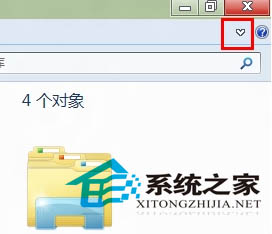
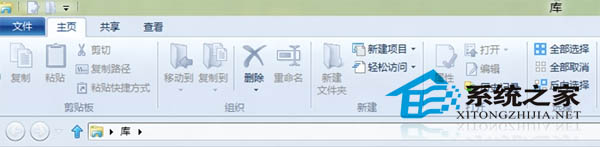
檔案總管標題列右上角的摺疊/展開工具列箭頭 (▼) 若消失,可透過「自訂快速存取工具列」勾選恢復。
操作簡單有效,恢復檔案管理介面完整功能。
Windows 8 或將搭載類 Siri 語音操控功能
Win8 安裝 .NET Framework 3.5 完整指南:線上啟用、離線部署與常見錯誤碼排解
Win8 找回「中文-美式鍵盤」:修改登錄表讓舊習慣回歸
Windows 8 網路連線異常「小驚嘆號」無法上網?一鍵重置網卡解決
Win8 程式無回應怎麼辦?啟用 .NET Framework 3.5 解決相容性問題
Windows 8 與 Windows 7 雙系統安裝實戰心得與避坑指南
BluePoison 2.1 解鎖 Windows 8 隱藏功能:Moonrea 媒體工具、開始選單主題與沉浸式介面控制
Win8 如何修復 LSP (分層服務提供者)?netsh winsock reset 一鍵重置網路協議棧