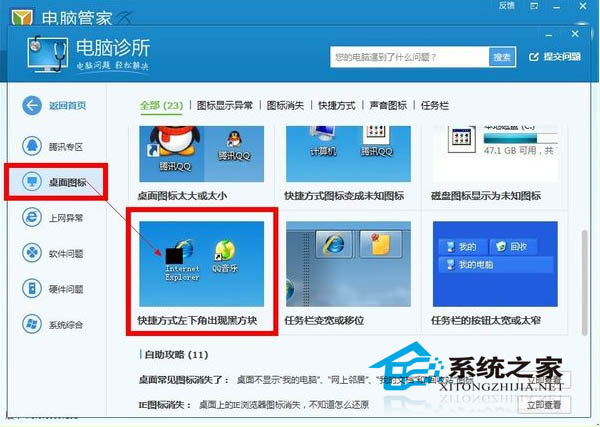
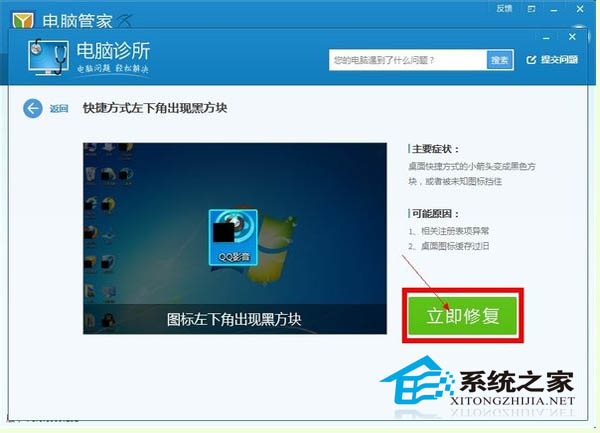
桌面捷徑左下角出現黑色方塊遮蓋圖示,係登錄被惡意軟體或優化工具竄改。騰訊電腦管家內建專項修復功能可秒修復。
建議平時做系統備份,避免登錄被竄改無法復原。
Windows 8 開啟高對比度顯示模式三種方法圖文教程
Win 8 照片應用顯示電腦圖片完整設定:圖片庫納入資料夾、SkyDrive 同步、外接裝置匯入
「為 Windows 8 新增功能」常見問答:版本升級、金鑰購買、32/64 位元限制
Win 8 多螢幕擴展顯示設定:兩種方法輕鬆搞定
詳解 Windows 8 無線連線功能:任務列右鍵快速預覽設定 簡化操作流程
英文版 Win8 應用商店找不到中文應用?區域設定改為中國即可解決
Windows 7/8.1 無線網路連接受限六大排查思路完整指南
Windows 8 找不到掃雷遊戲?從 Microsoft Store 下載官方版