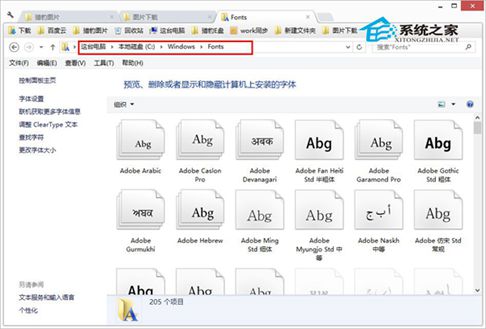
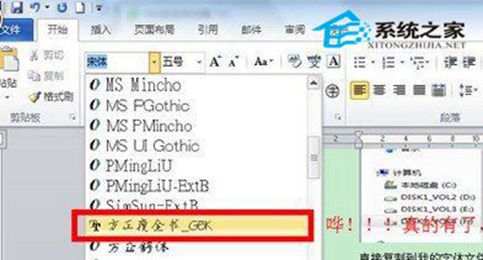
下載 .ttf 或 .fon 字體檔後,僅需複製到 C:\Windows\Fonts(系統盤非 C 盤請調整路徑),即可在 Word、Photoshop 等軟體中使用。
C:\Windows\Fonts
Win7/8/8.1 通用。安裝後開啟編輯軟體即可選用新字體,文件排版更豐富。
Win 8.1 切換公用/私人網路設定檔教學
Windows 8 隱藏技巧大公開:刪除確認、自動截圖、虛擬機共存等 7 招必學
期待 Windows 8 整合的八大 Xbox Live 功能
Windows 8 更改使用者帳號名稱完整步驟:控制台與 Win+X 選單雙管道操作
Windows 8 必裝十大推薦應用:筆記、訂票、天氣、雲端、新聞、社交、音樂、遊戲、生活、安全
Win8 查詢 DirectX 版本資訊:dxdiag 三步驟完整教學
ARM 版 Windows 8 保留桌面模式:內建 Office 15、檔案總管、桌面 IE10,桌面體驗完整
Win8 設定螢幕保護密碼:個人化→螢幕保護→勾選「恢復時顯示登入畫面」