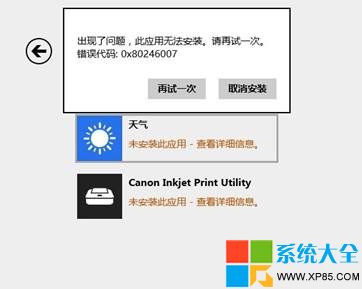
安裝/更新應用報錯 0X80246007。
0X80246007
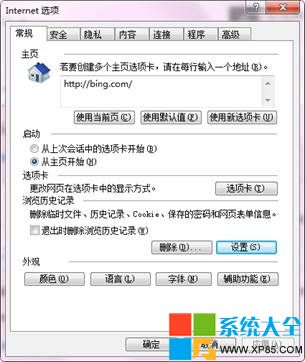
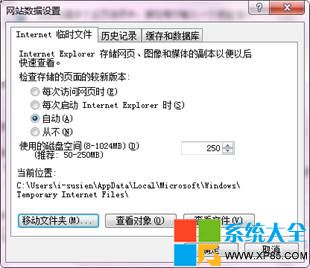
IE11 臨時文件夾位置異常導致。修復步驟:
Win 8 預設程式巧設定,讓系統更貼心好用
Win 8 開啟 RAR 檔案 安裝壓縮軟體並關聯即可
Win8 無法安裝無線網卡驅動?裝置管理員更新或驅動人生離線安裝
電腦死機不一定是硬體故障:軟體升級、測試版、盜版與資源耗盡才是常見主因
Windows 8 Beta 可能 2011 年 9 月推出:Mary-Jo Foley 曝光官方路線圖
Windows 8 M2 Build 7955 四大隱藏功能啟用工具 RedPill:Metro 登入、新任務管理器、Immersive 瀏覽器、圖形密碼
Windows 8 早期用戶回報:程式故障、驅動問題、安裝意外、新興漏洞
Windows 8 棄用 Live 品牌 統一採用「Microsoft 帳戶」