Windows XP Windows 7 Windows 2003 Windows Vista Windows 綜合教學 Linux 系統教學
Windows 10 Windows 8 Windows 2008 Windows NT Windows Server 電腦軟體教學

Win8 資料夾唯讀/系統屬性設定:attrib 指令突破介面限制

編輯:Windows 8 系統介紹

Windows 8 圖形介面僅能設定檔案唯讀屬性,資料夾系統/隱藏屬性需透過 attrib 指令設定:
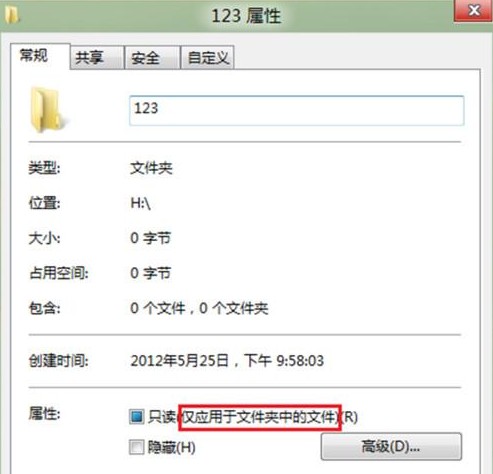
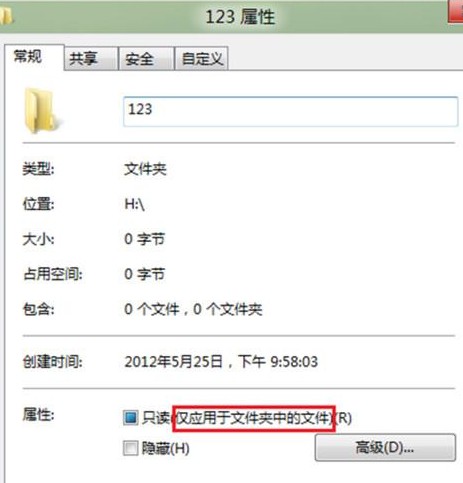
介面限制說明

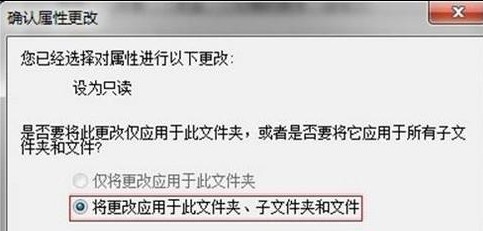
  • 資料夾右鍵 → 「內容」→ 「一般」索引標籤:僅有「唯讀 (僅套用至資料夾中的檔案)」,勾選後僅影響內含檔案,不影響資料夾本身。
  • 無「系統」、「隱藏」屬性核取方塊。

attrib 指令完整語法

ATTRIB [+R | -R] [+A | -A] [+S | -S] [+H | -H] [+I | -I] [磁碟機:][路徑][檔案名] [/S] [/D] [/L]
+ 設定屬性  - 清除屬性
R 唯讀  A 封存  S 系統  H 隱藏  I 無內容索引
/S 包含子資料夾  /D 處理資料夾本身  /L 處理符號連結

實戰範例:設定 H:\123 為唯讀+系統屬性

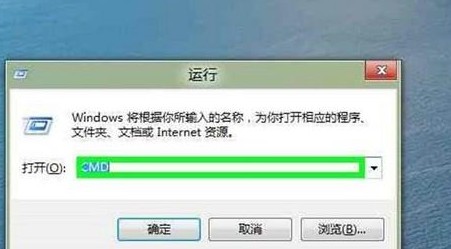
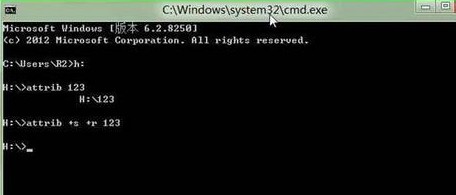
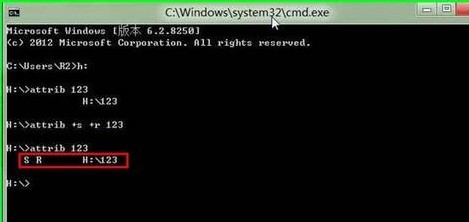
  1. Win+R → cmd → 進入 H:\ 目錄。
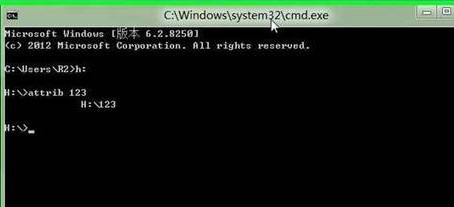
  2. attrib 123 查看目前屬性 (無屬性顯示)。
  3. attrib +r +s 123 設定唯讀與系統屬性。
  4. attrib 123 驗證顯示 S R 確認生效。

副作用:設定系統屬性 (S) 後,圖形介面「隱藏」核取方塊變灰色不可操作。需用 attrib -s 移除系統屬性才能恢復介面操作隱藏屬性。

Copyright © Windows教程網 All Rights Reserved