Win8 無法開啟 Metro 應用主要有三大原因:
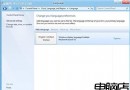
此外顯示卡驅動版本不正確也可能導致個別情況。建議依序檢查解析度、開啟 UAC、改用標準帳號或 Microsoft 帳號登入、更新顯示卡驅動。文中附錯誤畫面截圖供參考。
Windows 8 關閉工作列圖示縮圖預覽功能
IE10 圖示從開始畫面消失?搜尋重新釘選,但須將 IE 設為預設瀏覽器
Win8.1 檔案總管程式庫不見了?「檢視」標籤一鍵喚回
Windows 8 網路連線故障完整排查指南:網線、IP、診斷、撥號、驅動、ISP 六大面向
Win8.1 開啟裝置管理員的三種快速方法
Win8 桌面捷徑左下角出現黑方塊?騰訊電腦管家一鍵修復
Windows 8 新功能曝光:開始畫面「摘要視圖」加速應用搜尋
Windows 8 實用小技巧 50 招:鎖屏、Metro 主屏、熱鍵、虛擬機、修復全攻略