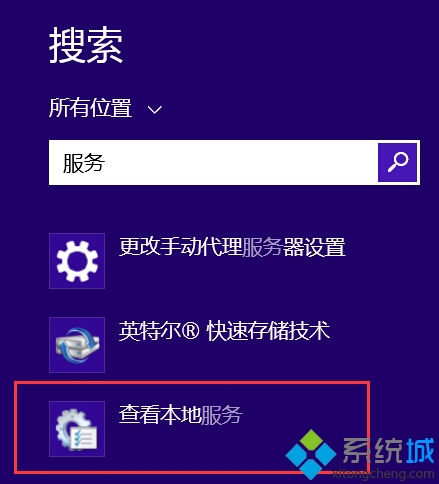
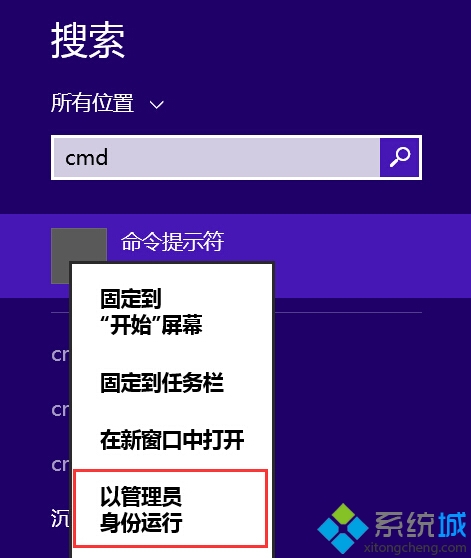
Win 8.1 記憶體不足兩大解法:
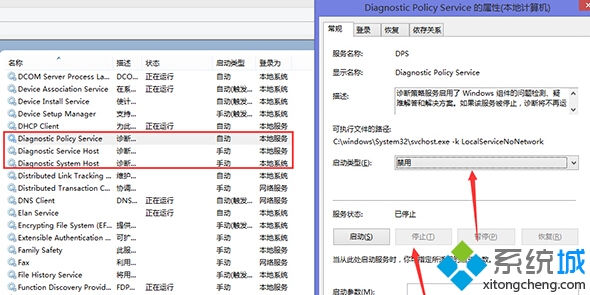
Diagnostic Policy Service
Diagnostic Service Host
Diagnostic System Host
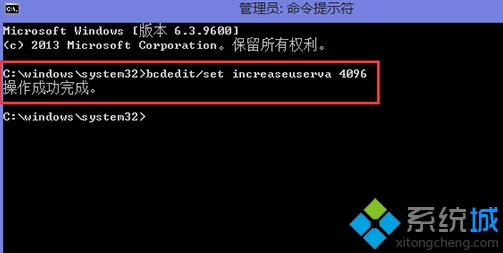
bcdedit /set increaseuserva 4096
若兩法皆無效,建議重裝系統。
Win8 系統內建燒錄光碟功能?檔案總管一鍵燒錄資料/影音光碟
Win 8 系統沒聲音?Realtek 高清晰音效管理器完整安裝與設定教學
Windows 8 介面操作要領完整指南:滑鼠手勢、魅力列、分畫面、磚管理、熱點觸發全解析
Windows 8 終極概念圖搶先賞:Metro UI、區域滑動、多用戶切換、無標題列控制台
Windows 8.1 網路連線受限/無法存取網際網路解決方案:重設無線網路設定檔
Intel 高管:Windows 8 超極本明年上市,Ivy Bridge 加持將佔筆電四成
Windows 8 關閉使用者帳戶控制 (UAC) 不再彈出權限提示
Windows 8 將保留 Windows XP 模式 協助企業平滑遷移