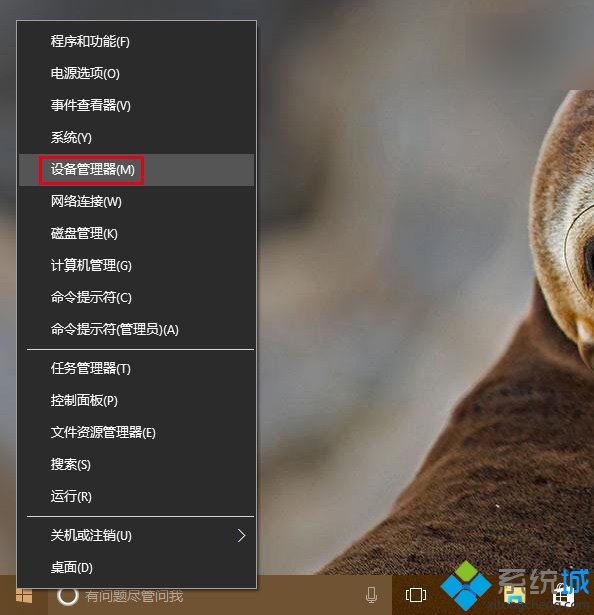
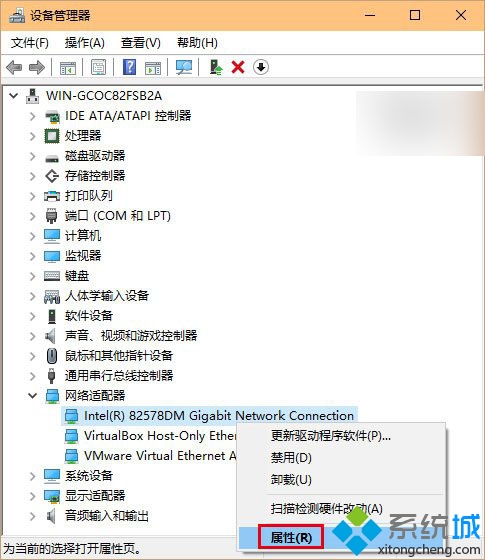
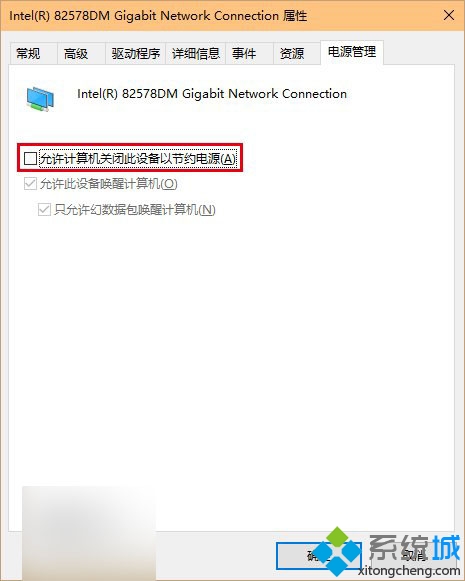
升級 Win 10 後 WiFi 頻繁掉線,解決:
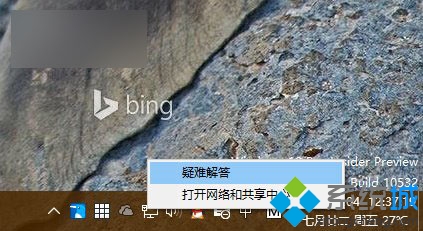
若問題持續,檢查路由器設定或執行系統「疑難排解」。
修復 Win8 電腦常見惱人問題完全指南
修改登錄立即獲取 Win 8.1 Update 1 推送:新增 SHWindowsPoolS14 鍵值
Win8 如何取消開機密碼?控制台使用者帳戶清空密碼教學
Windows 8.1 無法啟用?修改 DNS 指向 Google 8.8.4.4 繞過驗證伺服器封鎖
Windows 8 安裝方式利弊分析:覆蓋安裝、雙系統、虛擬機三大方案如何選擇
Win8 如何隱藏開始畫面的最近使用紀錄?保護隱私三步驟
Windows 8 动态磁贴开启/关闭一键切换:右键菜单控制实时信息推送
Windows 8/8.1 設定開機自動登入(免輸入密碼)圖文教學