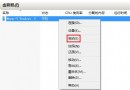
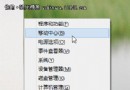
Windows 8.1 點擊「電腦管理」無反應或報錯,通常是 .exe 檔案關聯損壞所致。
Windows Registry Editor Version 5.00

[HKEY_CLASSES_ROOT\.exe]
@="exefile"
"Content Type"="application/x-msdownload"

[HKEY_CLASSES_ROOT\exefile\PersistentHandler]
@="{098f2470-bae0-11cd-b579-08002b30bfeb}"
fix_exe.reg(編碼選 ANSI 或 UTF-16 LE)。
修正 .exe 檔案類別的 ProgID 為 exefile,並恢復持久處理器 CLSID,使系統能正確解析執行檔啟動請求。
Windows 8 關機十大神技:Charms 列、磚貼捷徑、快捷鍵、命令提示字元、右鍵選單、實體電源鍵全掌握
Win8.1 顯示隱藏的程式庫,恢復 Win7 慣用檔案管理習慣
Windows 8 已曝光新功能總覽 SmartScreen、應用商店、HistoryVault 等
Win8 如何取消開機密碼自動登入?netplwiz 取消「使用者必須輸入密碼」
Windows 8 快速開機原理與啟用/關閉「快速啟動」設定完整解析
Windows 8.1 Update 一鍵開啟磁碟空間設定頁面:自訂捷徑法
Windows 8 Metro 介面無法正常執行解決方案:更新顯示卡驅動、調整螢幕解析度、調整 UAC 層級、切換 Microsoft/本地帳戶