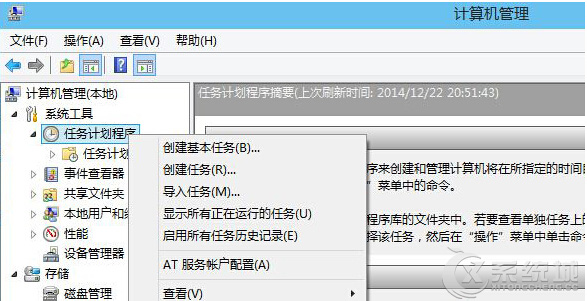
Win 8 開啟工作排程器兩種法:
taskschd.msc
右鍵「工作排程器」 → 「建立工作」可依需求設定自動化任務。
Xbox 720 (Xbox One) 相容部分 Win8 應用:x86 架構、SmartGlass、修改版 Windows 8 核心
國慶出遊必備神軟:軟媒魔方六大實用功能深度評測
Win8.1 關機報錯 winlogon.exe 應用程式錯誤?關閉快速啟動修復混合開機衝突
Win8 桌面家庭群組圖示刪不掉?正確離開家庭群組教學
Vizio 承諾 Windows 7 電腦免費升級 Windows 8 還藏彩蛋 省下 99 美元升級費
Windows 8 內建虛擬 AP 熱點教學:無需軟體、筆電秒變無線基地台
Windows 8.1 開始選單找回工具 8StartButton 體驗評測:六色花快捷選單、Metro 整合、半透明特效、收費版功能差異
Windows 8 遠程桌面連接完整圖文教程:從新手到精通