Windows 7 超級工作列支援釘選程式捷徑,但系統特殊資料夾 (如資源回收筒) 無法直接拖曳釘選。提供三種方法達成。
方法一:修改 explorer.exe 參數法
- 建立資源回收筒捷徑。
- 右鍵捷徑→內容→目標輸入:
%SystemRoot%\explorer.exe /e, ::{645FF040-5081-101B-9F08-00AA002F954E}
- 確定,拖曳到工作列。
- 桌面右鍵→個人化→變更桌面圖示→取消勾選資源回收筒 (隱藏桌面圖示)。
方法二:Shell 命令法
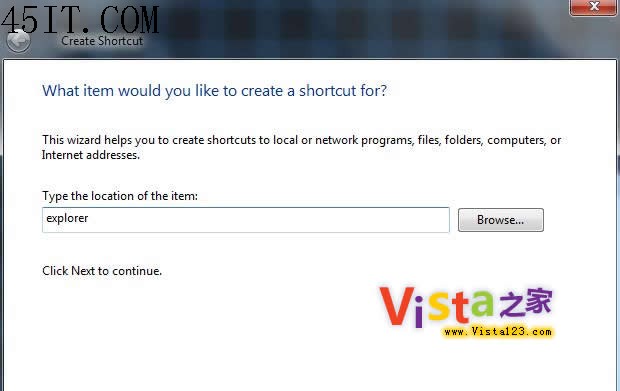
- 桌面右鍵→新增捷徑→輸入
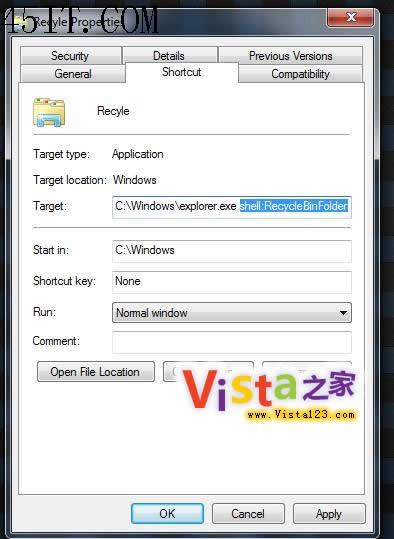
explorer.exe shell:RecycleBinFolder。
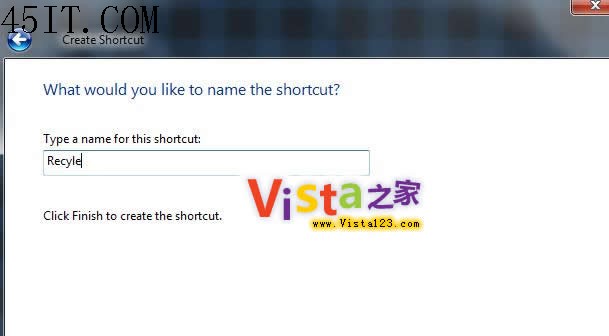
- 命名為「資源回收筒」。
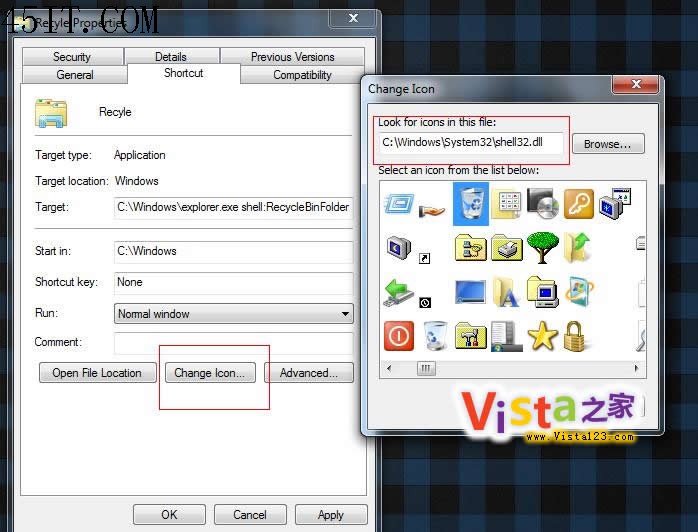
- 右鍵捷徑→內容→更換圖示→瀏覽
C:\Windows\System32\shell32.dll 選取資源回收筒圖示。
- 拖曳到工作列。
方法三:釘選到 Jump List 法 (最推薦)
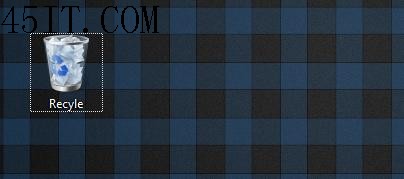
- 直接將桌面上的資源回收筒圖示拖曳到工作列上的「檔案總管」或「文件」圖示上。
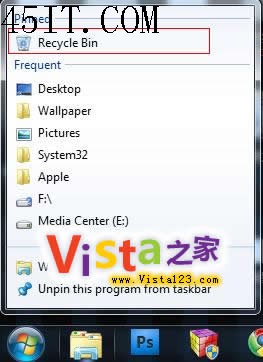
- 右鍵檔案總管圖示,Jump List 中即會出現「資源回收筒」。
方法三最簡單、不佔工作列空間,需 Windows 7 RC 以上版本支援。