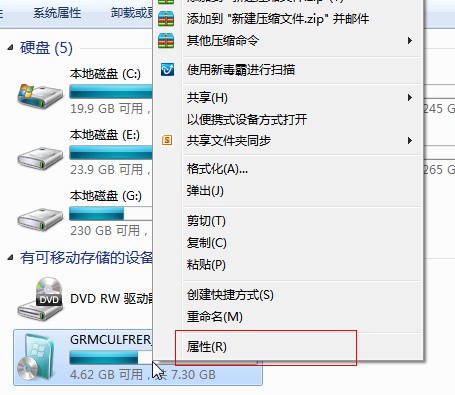
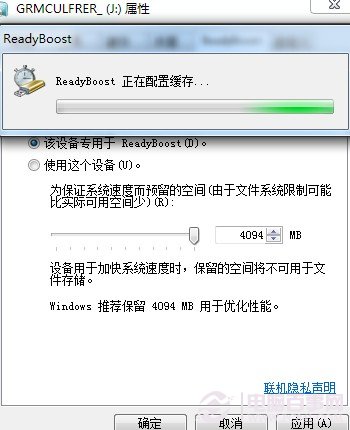
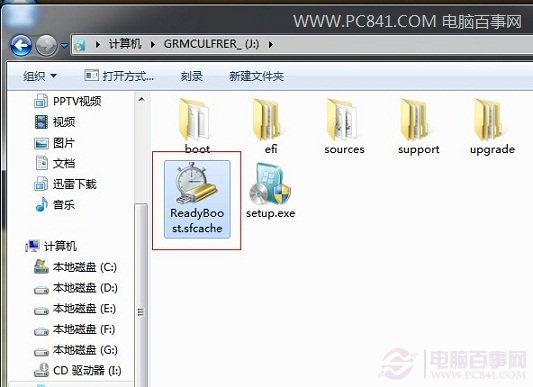
XP 世代老電腦(DDR2 1GB 記憶體)硬上 Win7 開機紅燈、反應遲鈍,加記憶體又貴(DDR2 比 DDR3 更貴)。善用 Win7 內建 ReadyBoost 技術,讓支援高速隨機讀寫的 USB 隨身碟/記憶卡當作快取,低成本大幅改善系統流暢度。
啟用後開機、開啟程式、網頁瀏覽明顯加速。不想用時同頁籤選「不使用這個裝置」即可還原。低成本延續老電腦壽命的實用招數。
保護硬碟壽命:關閉 Windows 7 三大傷硬碟系統服務 (DiskDefragmenter、Windows Defender、Windows Search)
關閉 Win7「互動式服務偵測」彈出提示:停用對應服務即可
Windows 7 變身 XP 經典介面:Classical Shell 讓開始選單、總管回味經典
PPS 廣告徹底屏蔽教學:刪除 adsys/banner/notice/Gmad 資料夾 + 拒絕權限/唯讀屬性雙重鎖死
Win7 「上帝模式」開啟方法:建立特殊命名資料夾一鍵存取 200+ 系統設定
Windows 7 過期怎麼辦?(一)RC 版過期流程與版本辨識
移動硬碟安裝 Win7 僅需兩步:設活動分區、解壓 ISO 即可
Windows 7 安裝常見錯誤代碼與解決方案大全(下)