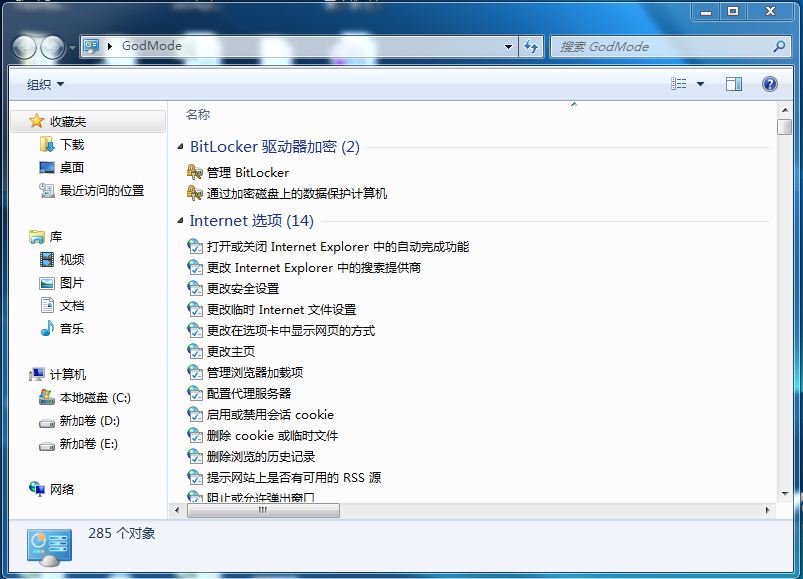
開啟步驟:
GodMode.{ED7BA470-8E54-465E-825C-99712043E01C}
這個隱藏功能將所有控制台項目平鋪在單一資料夾,系統管理員與進階用戶的效率神器。
Win7/Vista 將 IE9 降級回 IE8:解除安裝更新即可還原
5 招輕鬆解決 Windows 7 常見故障(2)
三步驟打造專屬 Windows 7 主題包:用自己的美照輪播桌面
Win7 無法顯示隱藏檔案?可能是病毒修改了註冊表
Windows 7 系統還原點建立與使用完整圖文教學
Windows 7 快速顯示桌面四大絕招:熱鍵、滑鼠、工作列、任務管理員
Win7 玩遊戲延遲/卡頓解決:停用 MMCSS 多媒體排程服務
Windows 7 清理通知區域圖示殘留項目:登錄法與 REG 檔一鍵淨化