IE9 升級過程實為「封存 IE8 + 安裝 IE9」,因此還原極簡單:解除安裝 IE9 更新即可自動還原 IE8。
操作步驟
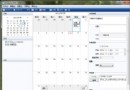
- 「開始」搜尋「程式和功能」並開啟,左側點選「檢視已安裝的更新」。
- 在「解除安裝更新」清單中,向下捲動至「Microsoft Windows」區塊。
- 找到 Windows Internet Explorer 9,右鍵 → 「解除安裝」 → 確認「是」。
- 完成後選擇「立即重新啟動」或「稍後重新啟動」。
重開機後系統自動還原 IE8,收藏夾、設定皆保留。此法適用 Windows 7 與 Vista。