從 Windows Vista 升級到 Windows 7 的用戶可能發現,Vista 內建的「Windows 行事曆」獨立小工具在 Win 7 中被移除了。雖然可用 Outlook、Google 行事曆或其他第三方軟體替代,但這個輕量、獨立的組件依然是許多用戶的首選。本文將教您如何將 Vista 的行事曆移植到 Windows 7,並加入中國農曆與節假日。
\Program Files\Windows Calendar\ 目錄。WinCal.exe,選擇「鎖定到工作列」或「釘選到開始選單」以便快速啟動。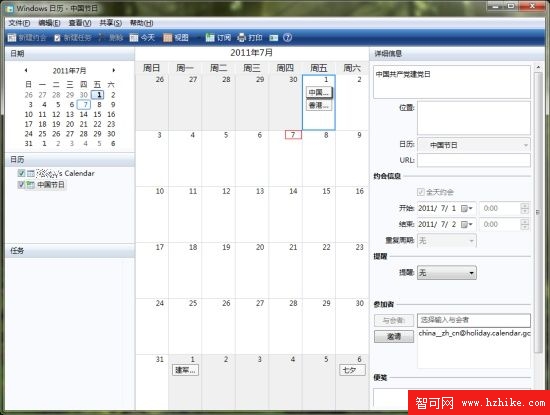
語言包說明:
zh-CN:簡體中文語言包(預設)en-US:英文語言包如需切換英文介面,將 zh-CN 資料夾重新命名或刪除,重新啟動行事曆即可。實測該組件在 Windows 7 32 位元與 64 位元版本均可正常運行。
在中國,缺少農曆的行事曆軟體並不完美。Windows 行事曆支援訂閱網路上的 ICS 格式行事曆來源,幾秒鐘即可完成訂閱。以下提供幾個常用的行事曆資料庫:
webcal://ical.Mac.com/ical/China32Holidays.icshttps://www.google.com/calendar/ical/china__zh_cn%40holiday.calendar.google.com/public/basic.icshttps://www.google.com/calendar/ical/lunar__zh_cn%40holiday.calendar.google.com/public/basic.ics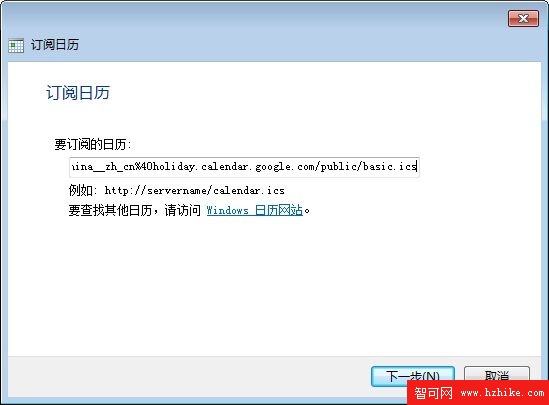
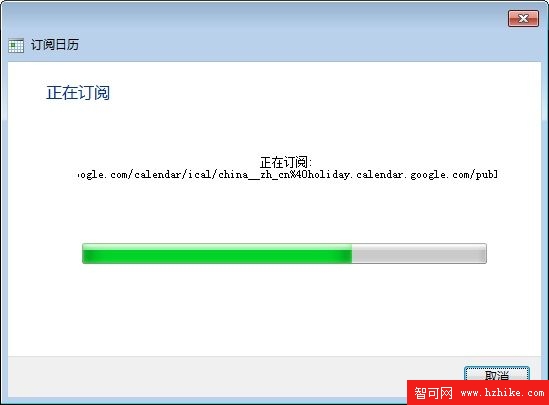
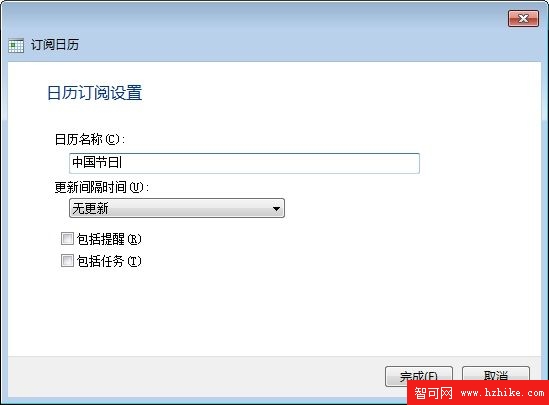
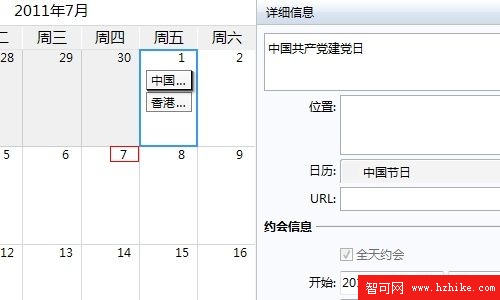
訂閱方法:在行事曆中選擇「訂閱」→ 貼上上述網址 → 確定。訂閱完成後,農曆日期與法定節假日將自動顯示在行事曆中,功能瞬間升級。