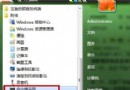
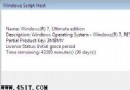
Windows 7 預設使用 time.windows.com 校時,但國內連線常不穩定導致時間誤差。改用全球通用的 pool.ntp.org 叢集伺服器可大幅提升同步可靠度。
time.windows.com
pool.ntp.org
預設僅每週同步一次。可用「工作排程器」建立基本任務,觸發條件設「每天」,動作啟動程式:w32tm /resync並勾選「使用最高權限執行」,確保每日自動校時。
w32tm /resync
微軟官方指南:Windows 7 + IE8 環境下如何共存 IE6 應用程式
Win7 內建燒錄功能:無需第三方軟體即可燒錄資料/音樂光碟
Win7 建立新磁碟分區:磁碟管理壓縮卷 + 新增簡單磁碟區完整圖解
高手修復 Win7 + Server 2008 雙系統啟動錯誤:BCDEdit 修正開機裝置、刪除外接硬碟 Boot 檔、自動修復
Win 7 環境下實施對應用程式的安全控制妙招(上)
Win7 開始選單「附件」工具消失?指令喚醒 + 資料夾覆蓋雙重恢復法
Windows 7:史上最安全的 Windows 作業系統?
善用 Windows 7 內建備份工具:基於 VSS 熱備份、媲美 Server 2008 功能