Windows XP Windows 7 Windows 2003 Windows Vista Windows 綜合教學 Linux 系統教學
Windows 10 Windows 8 Windows 2008 Windows NT Windows Server 電腦軟體教學

Windows 7 找回快速啟動列?詳細圖文教學

編輯:Win7 系統基礎知識

Windows 7 的新工作列預設移除了傳統的「快速啟動」區域。若習慣使用快速啟動列,可依照以下步驟將其找回:

步驟 1:新增工具列

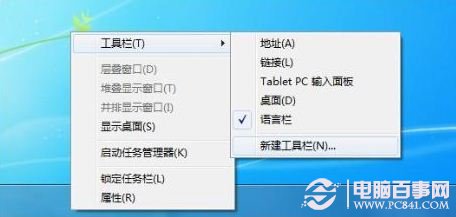
右鍵點擊工作列空白處 →「工具列」→「新增工具列」。

新增工具列

步驟 2:指定快速啟動資料夾路徑

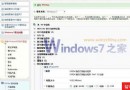
在「選擇資料夾」對話框輸入以下路徑並點擊「選擇資料夾」:

%userprofile%\AppData\Roaming\Microsoft\Internet Explorer\Quick Launch
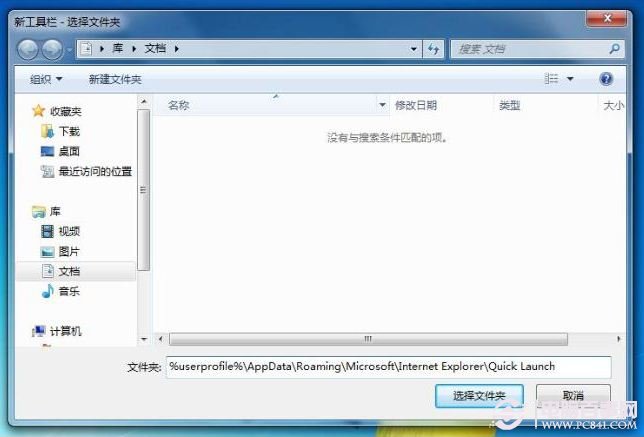
輸入路徑

步驟 3:調整顯示設定

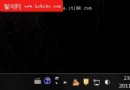
右鍵工作列取消勾選「鎖定工作列」。接著右鍵點擊剛新增的「Quick Launch」工具列,取消「顯示文字」與「顯示標題」勾選。
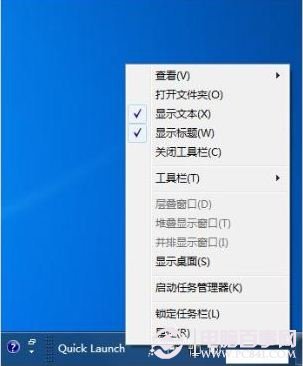
調整顯示設定

步驟 4:移動至最左側

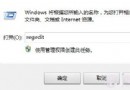
拖曳工作列上的分隔線,將 Quick Launch 區域移至工作列最左邊即可完成。
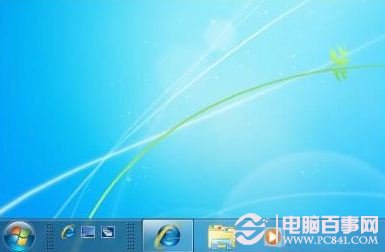
移動至最左側

Copyright © Windows教程網 All Rights Reserved