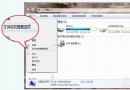
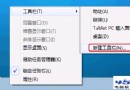
欲在桌面右鍵選單加入常用程式捷徑,修改註冊表部署 AppLaucher 子選單:
laucher.reg,雙擊匯入:Windows Registry Editor Version 5.00
[HKEY_CLASSES_ROOT\Directory\Background\shell\AppLaucher]
"MUIVerb"="AppLaucher"
"SubCommands"="Opera;Notepad;Looknstop;UTorrent;Internetexplore"
[HKEY_LOCAL_MACHINE\SOFTWARE\Microsoft\Windows\CurrentVersion\Explorer\CommandStore\shell\Opera]
@="Opera"
"Icon"="C:\\Program Files (x86)\\Opera\\Opera.exe"
[HKEY_LOCAL_MACHINE\SOFTWARE\Microsoft\Windows\CurrentVersion\Explorer\CommandStore\shell\Opera\command]
@="C:\\Program Files (x86)\\Opera\\Opera.exe"
... (其餘 Notepad、Looknstop、UTorrent、Internetexplore 同結構)
每組兩機碼:
@="顯示名稱" → 右鍵選單文字。
"Icon"="執行檔完整路徑" → 圖示與啟動目標。
command 子機碼 @="執行檔路徑" → 實際啟動命令。
將範例中的 Opera、Notepad 等替換為自身常用軟體名稱與路徑即可。
部署一次,長期受益,右鍵選單秒變專屬啟動器。